

AutoCAD Productivity Articles - Archive
2016
October 2016 - One-derful!!!
It's a God-thing.
I had no idea that 14 years ago I would be given the opportunity to make an impact on the professional lives of so many. Only God knew what was ahead, and hopefully, the contributions I have made through Michael's Corner have equipped many of you to be more productive and a bit more savvy using AutoCAD. And apart from all the AutoCAD bashing that is going on, I'm sure it has a long life ahead.
So, in an effort to keep the AutoCAD fires burning, here's what I have for my final installment…
…A reminder on how to customize your hot keys
…Three Power Tools — one for Zoom, one for editing, and one for Layers
…Two Odd Spots — one for Layers and one for Hatching
…Buried text treasure
…And how to Search 14 years of the Archives
As for what's ahead for me, I will continue to present a variety of AutoCAD sessions — Fundamentals, Intermediate, Customizing, Updates, and 2D & 3D. I will also keep training CAP Designer, 20-20 Worksheet, Visual Impression (those three from 20-20 Technologies, Inc.), and some Revit Fundamentals. Next year I'm looking forward to being very involved in training CET (from Configura, Inc.) when Herman Miller joins the growing number of manufacturers embracing this software that is being touted as the ‘Future of Space Planning’. Personally, I'm looking forward to spending a bit more time with Donna, my lovely bride of 30 years. When this posts, we'll probably be within days of going on our 30th Anniversary vacation to the Tanque Verde Ranch in Tucson; Ee-Hah! We had such a good time when we went for our 20th, we figured we'd do it again!
Ah, and I'm hoping to have The AutoCAD Workbench, Final Edition out before snow flies.
And with that, Mike drop! …so to speak.
The LORD bless you and keep you;
The LORD make His face shine upon you,
And be gracious to you;
The LORD lift up His countenance upon you,
And give you peace. Numbers 6:24-26
Change F1 to ESC
Smoother Zoom
Stretch with Extension
Lock Layers with a Crossing Window
Layer Columns & Hatch Background Color
Text Frame on Mtext
August 2016 - Two…
OK folks, just to be clear, I'm not retiring from training, just from authoring Michael's Corner.
I'm having waaaaay too much fun traveling around the planet, meeting new Designers, seeing friends, eating at recommended restaurants. And the most satisfying part is knowing that I'm enabling my customers to be quicker, better, smarter, and faster.
The fate of Michael's Corner has yet to be determined, but I'm still going to be available for training on AutoCAD, CAP Designer, 20-20 Worksheet, Visual Impression, Z-Axis, Revit fundamentals, and next year, CET from Configura.
I will definitely miss this venue for posting AutoCAD tips & insights, but as many of you know, the CADTutor Forum, is ripe with answers to questions you didn't even know you had!
In this next-to-last Michael's Corner, we lift the hood to discover more about…
…Visual Style properties
…Practical applications for a named view
…How to flip back to Model Space with a macro
…Forcing layer colors to Black & White in a viewport
…Creating a dual-display Dimension style with Ft-In, as well as Inches
And for those of you who would like the last 14 years in book form (or PDF), YES, I am currently updating The AutoCAD® Workbench to include 'em all. The AutoCAD Workbench, Final Edition will be updated to A2017 and, “Lord-willing and the creek don't rise”, will be out in time for Christmas or sooner.
Keep up the good work!
X-Ray Visual Style Update
Named Views
Macro to Switch from Model to Paper
Forcing the Colors to B&W in a Viewport
Dual Dimensions in a Dimension Style
June 2016 - Three…
Alright folks, two more ‘Michael's Corner’ after this one!
And while I'm thinking about it, a hearty ‘Thank You!’ to my customers, without whom I would be spending much more time finding tidbits for this tiny slice of the internet.
This time we'll do a quick review on…
…Steps to hyperlink an audio file to an object in the drawing using Hyperlink (which has been around since A2002)
…The variable FILETABPREVIEW which you can toggle off if you find the layout preview is bothersome on File tabs
…Why your Dynamic Input feature may be toggling on for no ‘apparent’ reason
…A few things to consider regarding the UCS icon in the lower left corner
And for those of you who would like the last 14 years in book form (or PDF), YES, I am currently updating The AutoCAD® Workbench to include 'em all. The AutoCAD Workbench, Final Edition will be updated to A2017 and, “Lord-willing and the creek don't rise”, will be out in time for Christmas or sooner.
Hope you have a delightful start to your summer!
Hyperlink an Audio File
File Tab Preview
F12 = Dynamic Input
UCSICON Options
April 2016 - Four…
There are three more postings of Michael's Corner to come after this one, and I hope each one will kick your productivity a notch. I'll also be including some “Best of” in case you're just now joining us… or forgot all about it.
And now that Autodesk® AutoCAD® 2017 is now out on the streets, you're going to want to run down to your local reseller and get your own personal copy! Oh, if it were only that simple. (Ch-ching!)
So, as you scroll through this post, you will find insights on…
…The AutoCAD 2017 PDF Import command
…Copying nested objects within a block
…“Best of”: The Wipeout object and Irregular Viewport Frames
And for those of you who would like the last 14 years in book form (or PDF), YES, I am currently updating The AutoCAD® Workbench to include 'em all. The AutoCAD Workbench, Final Edition will be updated to A2017 and will, “Lord-willing and the creek don't rise”, be out by early Fall as the last Michael's Corner is posted.
[Ah, and even though my contribution of Michael's Corner is coming to an elegant end, I'll not be retiring anytime soon. My training around the planet will continue. I'm having waaaaay too much fun seeing my friends and customers and meeting new ones.]
Happy Spring!
The Big Dog in A2017
Copy Nested [Express Tools]
“Best of” Odd Spot: Wipeout
“Best of” Basics: Irregular Viewport
February 2016 - In Five…
Yes, that's the countdown. Since 2003 it's been a treat to bring you monthly — and more recently, bi-monthly — insights to this endlessly exciting (and sometimes frustrating) wickedly-powerful software.
That said, it's time to direct my efforts elsewhere, so this will be my last year and there will be four more issues after this one. I'm leaning toward a ‘Final Edition’ of The AutoCAD Workbench, but I have yet to decide if and when that may be available.
In the meantime, here are a few things I thought would amuse, educate, and entertain…
…Introduced in A2016, the DIM command can be quite the time-saver.
…When making extensive edits, this Move Previous LISP routine may come in handy.
…Now that you're used to the ‘new’ File tabs at the top, here's how you can suppress that perpetual Start tab.
…Another quick tip on copying items on your Tool Palette.
Now, repeat after me: “We're just another day closer to Spring!!”
The DIM command
LISP for Move Previous
Start Tab
Tool Palette Basics
2015
December 2015 - Automate it!
I'm sure I've forgotten more than I remember at my age, so coming up with one-click solutions is always at the top of my list. After training the daylights out of something, I usually try to figure out how we can automate it.
And although I'm not presenting at Autodesk University this year, I hope those of you who are able to attend are having (or had) a wonderful and educational experience, as it always is.
So here are a few things you may be interested in as the year winds down or as you're looking forward to the surprises in store this new year!
…Automating the Settings feature for Select Similar
…Restoring a Layer State from the Quick Access Toolbar
…Accessing commands from another Workspace
…Restoring the original value of a Dimension
Wishing one and all a very Merry Christmas and a Happy New Year! Make a snow man — or a sand castle if that's more in keeping with your part of the world — and smile often… it'll make people wonder what you're up to!
Select Similar Drop-down on the Quick Access Toolbar
Layer State on the Quick Access Toolbar
Ground Shadows to the QAT
Original Dimension Value
October 2015 - Minor Adjustments
The last couple versions have brought with them some subtle updates (that I finally discovered!), and then I've had a few things brewing in my ‘Next Michael's Corner’ collection that I'm finally getting around to posting. Next time, I may just splash a bunch of tips out there. For now, however, scroll down to learn more about…
…A2016's update to the Revision Cloud
…Refine the display of non-continuous linetypes
…Adjust the location of the Layout tabs in A2015 & A2016
…Some techniques to ferret out why a drawing may ‘disappear’
The colors are really starting to come out in the Midwest US and the weather's starting to gently turn cooler. Time to enjoy bonfires and S'mores, fireplaces and chili!
Keep up the good work, y'all and I'll chat with you again in a couple months!
AutoCAD 2016 Revision Cloud
Linetype Tweak
Dock Layout Tabs Above Status Bar
Possible Solutions to the Disappearing Drawing
August 2015 - Settings and Switches
It looks like the insights I have this time are Behind-the-Scenes / Under-the-Hood kinda things. Tinkering with the mechanics of what makes this squirrely software tick. One of them came from one of the AutoCAD users in the Facilities Department at Facebook, and the rest were the result of my own discoveries or what I saw in my customers' drawings.
On deck this time you'll learn…
…What the AutoCAD 2016 Variable Monitor can do for you
…How to switch the case in text objects
…The trick to suppressing that logo (Heart valve? Hotel in Dubai?) when you launch AutoCAD
…Why you should avoid using the Standard text and dimension styles
Hope you've had a delightful summer!
The A2016 Variable Monitor
TCASE
The /nologo Switch
Avoid Using ‘Standard’ in Text & Dimension Styles
June 2015 - Once Upon a Time
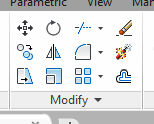 Maybe it's because I'm just older (old!?), but I sure do miss the dynamite on the Explode button. Oh, wait here it is now! Really?
While Autodesk keeps putting new stuff in, I just want to make sure you know how to use the old stuff as efficiently as possible before moving on. To that end, I have a rather eclectic collection of customization bits that can be applied to all currently supported versions of AutoCAD. (How was that for being vaguely specific on where this tricks will work!?)
…Tweaking the Double Click Action to launch the earlier Edit Attributes dialog box.
…Putting the dynamite .BMP back on the Explode button.
…Viewing the Properties of the current Workspace.
…Modifying the plot scale list displayed when choosing a plot scale for a viewport.
When it's all said & done, however, it's all about economy of movement, productivity… and going home a wee bit sooner.
Hope you enjoy these!
Set ATTEDIT as the Double-Click
Original Explode Button
Properties of the Workspace in the CUI
Shorten the Plot Scales List in a Viewport
April 2015 - Ch-ch-ch-Changes
It's that time of year again and you have all probably found numerous reviews of AutoCAD 2016 scattered around the internet. This month's offering does have one A2016-specific bit of insight for you that I think you'll find very relevant, (even if you aren't moving all the way up to A2016), in addition to a few ‘under-the-hood’ features that came up in training recently.
So this time we're considering…
…How to transfer your Quick Access Toolbar content from your current AutoCAD version to another version
…The technique to toggle to other multifunction grip options
…Where to find the tool that allows you to divide a split viewport in Model space
…What to do if the block changes in your block source drawing (for your tool palette)
AutoCAD 2016's looking pretty good to me and I'm really excited about writing more about it in the months ahead!
…and I am SO glad Spring is here!
Carry on, friends!
Transferring Your Quick Access Toolbar to AutoCAD 2016
Multifunction Grip
Split the Split Viewports
Update the Source File Block Edits on the Tool Palette
February 2015 - Second Fiddles
We all have our ‘lead guitars’ in AutoCAD; for some it's Blocks, for some it's Polylines, and on it goes. In this offering of Michael's Corner, it looks like most of these tricks would play second fiddle to the big dogs, but they are equally powerful and have a sound of their own. And for the most part, these all came up in the training I did up in Port Huron, MI for a group of users from Semco Energy. We had a great three day session, and I'm heading up there soon for our Level II session. So hats off to the team in the cold northern climes of east Michigan!
Here's what you'll find when you scroll down…
…How to overlap viewports and fade the viewport layers with a Transparency value
…How to apply a Background Mask to Dimension text. You'll be surprised.
…How you can toggle Ortho On and Off… without toggling Ortho On and Off
…How AutoCAD 2015 will now snap to a user-specific Polar increment… for all values of that increment!
I hope you're all staying healthy… and have even checked off a few things on your To-Do list for 2015.
Keep up the good work!
Transparent Viewport Layers
Mask Dimension Text
Ortho Shift
User Increment Angles for Polar (new in 2015)
2014
December 2014 - Making it Happen at Autodesk University 2014!
The annual event is always pretty stunning. Thousands of people with the full gamut of skill sets (and then some!) milling about Mandalay Bay in Las Vegas on a mission to, basically, kick it up a notch. As this goes to press, I have practiced my hands-on Lab a few times and have worked out the missteps, made the appropriate notes, and have the timing down pretty well.
This final offering for 2014 includes some customizing, as well as a couple features that have been around for quite some time, but I had never thought about them until they were brought up by a customer… which is what has driven these topics for the last 12 years!
With an eye toward a more productive 2015, we have…
…A tip on automating the repetition of a viewport plot scale with the click of a button.
…Some old fashioned display tricks you may find interesting
…An option worth considering if your drawing ‘disappears’ when you Zoom/Extents
…How to keep track of the time you spend in a drawing
Thank you all for your continued interest in Michael's Corner. It was a good year for me with 21 new customers and another country added to my ‘Trained In’ list bringing the total to eleven! The first quarter of 2015 is shaping up nicely already with my calendar already booked into mid-March.
Wishing you all a relaxing and joyful Christmas season and a promising New Year!
Automating the Application of a Viewport Scale
Pan and Zoom Antiques
Zoom Extents = Air
Drawing Information
October 2014 - Inside Some A2015 Updates

At this writing, I have just returned from training this amazing group of AutoCAD users in Manila! They were very receptive and gracious to all I had to share with them, and I loved every minute! Through the efforts of my longtime customer, One Workplace, I thoroughly enjoyed an unforgettable training session with ProView Studio. You guys rock!! WootWoot!
If you are a current user of AutoCAD 2015, you have probably encountered at least a couple of the topics I have here. If you're not there yet, there may be something in here that will get you excited about upgrading. As I have been training this version over the last couple months, here are a few things I kept track of that I wanted to pass along…
…The new Text Align command—very nice.
…Insights into the new Block ‘Ribbon Gallery’—expanding upon an existing theme
…Quick View Layouts on the File tabs—and where you can find Quick View Drawings
…The new Cursor Badges—Yes or No
Also, if you haven't gotten it yet, Service Pack 2 is available and was released in mid-September. The best part of this update is we, once again, have the ability to copy a layout tab, by clicking and dragging and holding down the Ctrl key to make a copy!!
 My Autodesk University Hands-on Lab, Click My Ride: Customizing AutoCAD for How You Work is being repeated!! I know there are many who were hoping this would happen (including ME!), so check the AU website—http://au.autodesk.com/—where you can sign up for class (AC8277-L) which is the repeat date of Wednesday, Dec 3rd at 2:45pm (it's a 75 minute lab). Please come up and say ‘Hello’… and sit on the front row! (I like to have my friends close when I do these big events).
Keep up the good work!
The A2015 Text Align Command
The Block ‘Ribbon Gallery’
Drawing Tabs = Quick View Layout
‘Sign Language’
August 2014 - Quick and Easy Customizing
CAD Trainer Guy coming to Manila!
If you would be interested in some onsite, hands-on, AutoCAD training, please contact me directly for more information about my upcoming visit. I will be in the Philippines on October 1 & 2 [W/Th]. You can also check out my Training Menu at my website.
One of my new-to-AutoCAD students nailed it this week, "I now realize just how much you can do with AutoCAD!" What's even more exciting is the relatively easy customization you can do if you know where to look… so here are a few places to turn your attention!
…Add a System variable to a Field on your Layout tab
…Assign an object snap to a Function key
…Display a toolbar in the Ribbon workspace of AutoCAD 2015
…Use the Copy option when you Rotate objects
I hope you have all had a grand summer. The highlight of ours was our son Joshua's graduation [BFA, Digital Filmmaking & Video Production from the Art Institute in Cincinnati], so if anyone works where you could use a Production Assistant, please let me/him know!
Keep up the good work!
The CTAB System Variable in a Field
Add an Object Snap to a Function Key
Add a Toolbar to AutoCAD 2015
Rotate with the Copy Option
June 2014 - Summer Simplicity
It seems like summer just kind of crept up on us and I can't believe we're nearly halfway through the year already! I'm still investigating AutoCAD 2015 and will present additional content in the months ahead, but this month I simply wanted to show you a few things I encountered in my training sessions recently.
…A very simple but effective method of creating a Solid with the Sweep command
…The new feature in A2015 that conforms to the simple motion of dragging to select objects
…Variables that will make life much simpler if you are aware of what they can do
…An object snap that makes snapping to the insertion point of a block quite simple
Needless to say, the point of summer is to hopefully find time to enjoy the simple things… in AutoCAD.
Safe travels!
Sweeping a 3D Shape around a Pline
AutoCAD 2015 ‘Lasso’
“Buriables” (Buried Variables)
Use the INSERT Osnap on Blocks
Where's the Layout tab gone?
April 2014 - Earth, Wind, & Fire (or in AutoCAD-speak: Layers, Text, & Solids)
When this goes to press, Autodesk's flagship product will probably be on the streets, and there will be dozens of blogs and websites trumpeting the new features. Rest assured, I will also be taking a look at what piques my interest, but what we have in these articles is another round of ‘under the hood’ features from training sessions since the beginning of the year. And as it turns out, all of these were procedures and features I wondered about, but had never taken the time to pursue… until now. Perhaps these are some things you have pondered, as well:
…How to use the Chamfer command with different Distance values on a 3D solid
…Why the OSMODE variable is different, even if you use the same Object Snap combination of modes
…What can be done about Find and Replace being applied to all the text in my drawing
…The Layer feature to set a layer to current by selecting an object
And given the track record of this past winter season… I fully expect snow in Kentucky in June. Hopefully, that won't be the case and Spring and Summer will get some traction and bring in more seasonal temperatures. The precipitation may be an entirely different issue. At least you can enjoy a new version of AutoCAD, whatever it decides to do outside!
Apply a Chamfer to a 3D Solid
Focused Find & Replace
OSMODE: With and Without Osnap Enabled
To or From the Current Layer
February 2014 - There He Is, Out Standing in His Field

 It's old news to many of you by now, but I'm still pretty excited about receiving the Autodesk University Speaker Award for Hands-On Labs. My seminar, ‘Click My Ride: Customizing Autodesk® AutoCAD® for How You Work’, received the highest feedback rating among all the labs at AU. With over 700 seminars and labs, the competition was pretty substantial, so this award—for me—is the top of the heap. So however you may want to look at it, I guess I'm out standing in my field.
To continue with that ‘Click My Ride’ theme, in this (now bi-monthly) column, I want to take a look at a couple automation tools, as well as some of the things that we go back and forth with in our daily AutoCAD activities.
…Running a script from the Quick Access Toolbar
…Useful routines for the ACADDOC.LSP file
…Layer column arrangement options
…The fundamental power of Layer Previous
Hope this finds you all well on your way to a productive and prosperous 2014, and keep up the good work!
Running a Script with One Click
ACADDOC.LSP
Layer Column Positioning
Layer Previous
2013
December 2013 - Double Down
For those of you unable to make it to this year's main event—Autodesk University 2014—this month's offering includes a couple items from my AU Hands-On Lab, Click My Ride: Customizing Autodesk AutoCAD for How You Work. I'm really looking forward to showing the 86 registered attendees several of the features that have been presented in previous Corner articles on how to optimize AutoCAD for maximum productivity.
This edition will also usher in the new bi-monthly publication of Michael's Corner. There's a possibility I may be adding a couple other products to my "Training Menu" in the upcoming year, so I figured eleven years of four-articles-per-month would warrant a downshift in my Corner offerings. And although, I'm the one with his face on this page, Michael's Corner is ONLY possible because my tireless colleague, Professor David Watson (the chief cook & bottle-washer of CADTutor.net), takes my lowly Word document and works his HTML magic to create the pages you see here.
So with that introduction, this edition brings you these AutoCAD productivity insights…
…How—and Why—to export a Zip file containing your AutoCAD settings
…Where to find the "Hide-A-Key" ACAD.CUIX file that AutoCAD already has saved for you
…The importance of creating a Workspace early on
…Easy Tab & Panel creation from my AU2014 Lab: Click My Ride
Wishing you all a glorious and joyful Christmas season and I hope your New Year is chockfull of exciting new adventures and opportunities!
Be Responsible: Think Ahead
Easy Tab & Panel: Customizing the Ribbon
October 2013 - The Year Was 1953…
Birthday cards and greetings are always welcome as I turned 60!! this month! In addition to family, I invited lots of customers to our favorite Mexican restaurant, Fiesta Mexicana. Unfortunately, the one in Shelbyville was not ready in time for my birthday (there was a fire in February so they're rebuilding in a new location), but the food—and margaritas—are just as wonderful at their Louisville location.
And although I'd love to go on about me, here are a few things I thought I'd set you to thinking about while you ponder… whether or not it's worth the trip to Louisville.
…A 3D application for split views in Model space
…How to resolve the crosshair color in Paper space
…The solution to displaying the Layer states in List form, rather than a ‘checkerboard’
…An easy way to get text from your Microsoft Word® document into Multiline text
This month I'm speaking at the Tennessee ASID Chapter Conference in Nashville, then at the CET Designer User Conference in Grand Rapids, so I'm quite excited about seeing many of my current Customers and meeting new Designers.
Fall is a beautiful season in our part of the planet, and I hope it is equally glorious for you, too!
Split Views in Model Space
Crosshair Color on the Layout Tab
Layer State List… or Checkerboard?
Word® Text Into Multiline Text
September 2013 - Less Than Intuitive
There are some things in AutoCAD that are not right there in front of you. It's not really an ‘outside-the-box’ thing, maybe just an ‘under-a-rock’ thing. All of these articles came directly from my customers' questions, and all of them are ‘Need To Know’, but maybe not on a daily basis. For example…
…Do you know more than one way to modify an attribute value?
…Do you know more than one way to begin a Metric drawing?
…Do you know more than one way to create a Window when selecting objects?
…Do you know what to do when you try to Rotate an object… and it's not quite what you were expecting?
And that's what I mean by ‘less than intuitive’.
Hope this finds you all with great memories of your summer. It's been a bit toasty here in Kentucky, but at least I'm not mowing twice a week!
Enjoy!
Alternatives for Global Attribute Editing
How to Start a Metric Drawing
What To Do With Geometric Constraints?
When Picking ‘Air’ Isn't Working
August 2013 - Fun at the CAD Beach
If you take a look at a cross-section of AutoCAD users, there's probably a sizable slice of that pie chart that includes ‘DIY’—Do-It-Yourself, i.e., Customizers. Whether you're making sandcastles at the beach on a hot August day, or working your way to the weekend when you can come up with something new on the grill, you like to do your own thing.
So whether you're just returning from a four week western United States vacation (like our intrepid captain Professor Watson), or you're just looking forward to 5:00, when you get back to the AutoCAD Beach, did you know that you could:
…Create a custom Ortho angle?
…Add your own ‘AutoCorrect’ text for when you type commands and variables?
…Display your favorite toolbar(s) and still have the Ribbon?
…Toggle the visibility of layers in a PDF?
Hope you all have a wonderful August!
Customize your Ortho with SNAPANG
Edit the AutoCorrect Listing
Toolbars with the Ribbon
Plotting a .DWG to .PDF
July 2013 - Settings and Savings
Today it will be 118 degrees Fahrenheit in Phoenix… and it probably still is when you're reading this. "We just want to give our visitors a warm welcome." Thanks, Mary. The point being, sometimes we're just too hot or tired or busy (trying to avoid ‘lazy’) to repeat common procedures, so this month I'm looking at saving steps by…
…Saving a Custom View that you can access from the Viewport Controls
…Selecting objects using often-overlooked default options
…Setting up ‘Trusted Locations’ in A2014 to enable loading of external programs or routines
…Snagging a Layout from another drawing and copying it to your current drawing using DesignCenter
I'm also happy to say that my proposed lab for Autodesk University 2013 was accepted! In the next few months, I may ‘practice’ my presentation here. If you're going to be attending, sign up for ‘Click my Ride: Customizing AutoCAD for the Way You Work’! That will make the third major conference where I will be presenting this year; NeoCon in Chicago last month, Metrocon in Dallas next month, and AU in Las Vegas in December.
Hope you're able to find some time to relax and get refreshed this season!
Custom View in Viewport Controls
Default Selection Options
Trusted Locations
Copy a Layout Tab Using DesignCenter
June 2013 - The Big Three: Layers, Text, & Blocks
When you boil down a drawing—(so, what would that be? Alphabet soup?)—the key ingredients are Layers, Annotation, and Blocks. To communicate effectively, every drawing must have some component of each of those. You could probably go without having blocks, but what drawing doesn't contain blocks these days? This month, I touch on each of those.
…Merge Layers is a new arrival in AutoCAD 2014
…Another trick for the Single Line text devotees: Symbols ala Mtext
…An Mtext setting that will make you want to use Single Line text (until you figure it out)
…Clarification of what the Wblock command can do for you
This month I return to NeoCon with my Revit for Dealership Designers [Monday, 6/11, 4:00] in the official NeoCon seminar listing, and I'll also be presenting an off-site AutoCAD Toolbelt seminar [Tuesday, 6/12, 2:30], graciously hosted at the Kimball showroom across from the Merchandise Mart in downtown Chicago (my favorite U.S. destination).
Looks to be a great month ahead. Hope yours is, too!
Merge Layers in AutoCAD 2014
Hexadecimal Code in Dtext
AutoCAPS in Mtext
Block to .DWG with Wblock
May 2013 - Shedding a Little Light on Things
As I get more into 3D—I know, I'm just a little late to that party—I'm finding more and more fun stuff. I'll soon have a collection to put on my own Panel on the Ribbon! I think you'll find the following to be a fun collection of insights and it even includes a wonderful improvement I found in AutoCAD 2014!
…Without a default ‘floor’, use Ground Shadows, then experiment with some Visual Style buttons
…For the macro-minded, learn how to repeat a favorite
…When you inherit a drawing with Annotative text, there's a Need-To-Know rotation setting
…Options for selecting objects, including a really great improvement in A2014
Keep in mind that Autodesk has a YouTube channel in case you want to find more out about the new fleet of products available.
Here's to greater productivity for us all!
Shadows & Visual Style Settings
Repeat a Command in a Macro
Annotative Text that Doesn't Rotate "Normally"
Selection Options & A2014 Improvements
April 2013 - Graphicisms
As is often the case, after writing the articles, I notice a ‘theme’, of sorts. It's never intended, since I keep notes during my training sessions, then pick a few and start in. This month, all four articles came from the training since the beginning of the year and they all have a graphic component. Well, except the Doughnut command, but I guess that does have a graphic element to it, too.
…Update a drawing with a material
…Select a color that will be immune from a Monochrome/Grayscale plot style assignment
…Make your Zoom features snap to the result instead of gently sliding to the view
…Create a dot with a donut
As for the recent release of AutoCAD 2014, I usually let all the other bloggers have their way with the announcement and slowly fold in my own observations as the months go by. I will say, however, that I think displaying tabs for the open drawings along the top of the drawing window was a nice touch.
Hope you all have a wonderful April!
Loading Materials
RGB Color with Monochrome Plot Style Table
VTOPTIONS
The Doughnut/Donut
March 2013 - The AutoCAD Workbench, 2nd Edition: Finally a Reality!
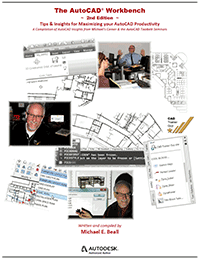 It's quite humbling, actually, and a pretty significant body of work, weighing in at 330 pages if you start numbering from the front cover and go to the back.
If you're interested in purchasing a copy—the ring-bound book, the .PDF or both—the best thing to do would be to visit my website, www.cadtrainerguy.com where you will find a PayPal button, as well as the Order Form.
To answer a question that has already come in, this edition contains everything from the first edition, plus an additional 70+ topics, all updated to AutoCAD 2013. It looks like I'll be putting the first ones in the mail on March 15th if all goes according to plan.
However, you will want to continue your subscription to Michael's Corner, because two of the topics this month aren't in AWB2. Does that mean there will be an AWB3? Most likely!
In the meantime, here are a few things you can take a look at while you wait for your copy to arrive!
…See how to copy a default panel from the Express Tools to your custom tab.
…Learn how to zoom up to a ‘dot’ in space without scrolling.
…Add a path to your Support File Search Path list to point to an exported tool palette file [.XTP]
…Create an Angular dimension and edit a couple of the properties.
At the risk of being repetitive, I want to thank David Watson, our CADTutor webmaster and prolific professor at University of Greenwich for providing the opportunity, and an all-inclusive ‘Thank You!’ also goes to my hundreds of customers who provide the bulk of the content for these pages.
With a grateful heart to you all.
Copy a Default Panel to Your Custom Tab
Zoom to an Object
Source File vs. Support File Search Path
Angular Dimensions
February 2013 - Got Text?
Maybe it has to do with Groundhog Day (the movie) and doing things over again, but this month it turns out that three of the four articles involve Text. Purely unintentional, honest. The lead article, however, actually comes from my friend, Ben Senior. Ben did the tech edit on the 2nd Edition of The AutoCAD Workbench, and as I was going through his edits in Chapter Two on Creating & Editing, I came across his comment on editing the insertion point of a block. In store this month:
…Adjust the Insertion Point of a Block
…Edit the UCS condition to add text to a 3d view
…Change the highlight color in the Single Line text editor
…Snap to the insertion point of text
Hopefully next month I can announce the release of the 2nd Edition, but in the meantime, keep an eye on my website, www.cadtrainerguy.com where I will make the announcement as soon as the first one rolls off the press.
Thanks to all of you for your continued support and friendship!
Change the Insertion Point of a Block
Adding Text to a 3D View
Highlight Color for Single Line Text
Snap to Text
January 2013 - There's Always Something New in the Year
None of us knows what's in store for 2013, but one thing we DO know, is that there's always something new to learn about. I hope this finds you all well and looking forward to the new things that lie ahead in your respective areas of expertise.
Many years ago when I was working with Hugh Bathurst and presenting the 'Mastering Today's AutoCAD' series around the USA, I met folks who used AutoCAD in some very unique industries; fire plug design, rail car design, and prison cafeterias were some of the ones that come to mind. Absolutely fascinating and very 'new' to me. If you work in an industry with similar unique drawing requirements, I would be interested in seeing a small sample drawing of your work.
This month, ask yourself the following questions, and then see if your answers are the same as what I came up with. You may just find something new!
…Do you know how to add a dimension to a 3D object?
…Were you aware of the Layer option when you use the Offset command?
…Have you ever noticed the background mask in Mtext needs adjusting?
…When you plot a Window from Model space, do you know how to estimate the plot scale?
Thank you all so very much for your continued support of Michael's Corner and CADTutor, and we hope you have a fabulous New Year!
Adding Dimensions to a 3D Object
Offset with the Layer Option
Mtext Wrinkles
Estimating a Plot Scale
…to Embedding an Image
2012
December 2012 - 10 x… a Lot!
 When I first did that (shameless) Google search on my name over ten years ago, I never thought it would come to this. 120 months x four tips per month = a lot of AutoCAD insights and tidbits, tips & tricks, customizing and basic, and the random buried treasure. Then there are the Left Field bits that I'll be compiling and including in the 2nd Edition of The AutoCAD Workbench (hopefully available at year's end).
As is the case most of the time, this month is mainly a collection of requests from customers…
…Set the 'No Plot' layer option from the QAT
…Changing a visible attribute's value without using the Attribute Editor
…Accomplishing a Fade with Transparency
…Clarifying the Lock options
Recent CAD Trainer Guy Updates
As far as social media goes, I have been encouraged to get on Twitter, so I'll be tweeting an AutoCAD tip every Tuesday & Thursday. It would be great to have you follow me at www.twitter.com/cadtrainerguy. I may be using Twitter as a 'sticky note' to let you know what may be in an upcoming Corner.
Then, at Autodesk University last year, at the last minute I was asked to step in for Heidi Hewett who was under the weather, and Autodesk taped several short clips of AutoCAD tips. Although the videos have been out there for a while, my son just recently helped me get my own CAD Trainer Guy YouTube channel where I have re-posted them and will hopefully be adding more in 2013.
And, yes, I'm on LinkedIn, www.linkedin.com/in/cadtrainerguy, and I invite all of you to join my network!
So this is a wrap for the 10th year of Michael's Corner, the production of which could only have been made possible by the kind invitation in 2003 from Professor David Watson to become a part of his CADTutor site. It has been an honor and a royal privilege to be a part of this cruise. Lord willing, we'll have an opportunity to meet face to face in 2013.
Wishing you all a glorious and safe Christmas season, and may the New Year be one in which we all become a wee bit better in all we do.
For an Image That's Path-Free — OLE!
Edit an Attribute Sans Editor
Mistaken Lock
Layer Fade with Transparency
November 2012 - Thankful for… Easy Customization!
Although I am thankful for many, many other things (including our son, Joshua, who's birthday was the 3rd), but professionally speaking, I'm very thankful that customizing AutoCAD is such fun, especially since I am not a VBA or a LISP master like my friends Ben and Lee. This month we take a look at more automation that can be parked up on the Quick Access Toolbar, along with some fundamentals that are less than intuitively obvious. So when you unpack this critter you will find…
…How to create a drop-down icon on the Quick Access Toolbar
…A trick to zooming out just a little since your wheel mouse can't be used for that anymore in A2013
…The setting you will need to invoke the new A2013 Strikethrough feature in single line text
…Where to find the setting to display the Polar angle value and vector when you use that feature
To all of you in or from the US of A, I want to wish you a glorious and Happy Thanksgiving, and may each and every one of us remember to count our blessings every day.
Add Your Own Drop-down Menu to the QAT
Create a QAT Button to Zoom / .9X
AutoCAD 2013 Strikethrough Character
Polar Tooltip & Vector
October 2012 - Here & There
I would really like to have the 2nd Edition of The AutoCAD Workbench ready for publication by my birthday. It will be close, but I'm not sure if I'll make it. (Friday, October 12th, for those of you wondering. Thank you.)
That's pretty much where I've been recently — "Here & There". I really enjoy seeing my regular customers and meeting new ones, but this year has been woven nicely with time at home. (Thank you, God.)
This month's offerings are courtesy of customer emails and onsite training requests.
…A Review (and hopefully 'clarification') of the Xclip feature
…A Solution to your Single-Screen Woes (if you have a Dual-Screen Setup at Work)
…Practical Application for the <Displacement> Option in the Move Command
…Using Search in DesignCenter to Find a Specific Layout Tab Name
I think you'll enjoy each of these insights and hopefully something in there will bring a smile to your face… along with a boost in your productivity!
Keep up the good work!
XCLIP Update
Toggle Your Window Back from a Dual Screen
Move with a <Displacement>
Using Search in Design Center to Find a Layout
September 2012 - Be Quicker
There's always something you can do to tweak some speed out of your system. Whether you're an Olympic athlete, a weekend mechanic, or just like to tinker with AutoCAD, there's always a way to get a wee bit more speed. This month we'll lift the hood of the Quick Access Toolbar, and we'll also identify a problem or two you may have encountered. Here's what's on tap:
…Accessing your Layout tab title blocks from the Quick Access Toolbar
…Adding a button to the QAT to automatically set a frequently-accessed layer to current
…Discover another setting for the INPUTHISTORYMODE that may come in handy
…Taming the Command line in AutoCAD 2013
It's been pretty toasty in the US, but the tomato harvest was pretty spectacular… and our friends and neighbors agreed! Nonetheless, I'm looking forward to cooler Fall temperatures, and I hope you find this month's collection of articles useful so you can get out and enjoy a bit more of the season!
Quick Access to your Layout Tabs
A Quick Access Button to Set a Layer
Input History Mode
More on the 2013 Command Line
August 2012 - Winning in London
I can only imagine that living, literally, ‘down the lane’ from an Olympic venue is nothing short of thrilling, so I'm sure our intrepid keeper of the CADTutor site, David Watson, found the London Olympics both inspiring and exciting. Although I'll do my best to keep Olympic references in check, this month's collection is a bit heavy on the ‘selection’ procedures in AutoCAD… as in selecting the best AutoCAD ‘athlete’ so you can be the most productive.
Our events this month include:
…A practical application for the Selection Cycling feature
…Settings to make Select Similar more specific
…Another solution to the ‘Disappearing Cursor’
…Negotiating the hurdles of REGENAUTO & SNAPANG
Hope these insights provide a bit of a boost so you can excel in your field… or track, or arena, or pool, or court, or…
PS — Just so you know, editing is complete on the first chapter of the 2nd Edition of The AutoCAD Workbench, and I'm about halfway through the second chapter. Those are the biggest chapters, so I'm hoping to have it published by October 1!
Selection Cycling Application
SELECTSIMILAR on the Command Line
Disappearing Cursor, Part II
Regenauto & Snapang
July 2012 - Whiz-Bangs & Congratulations
Sometimes when people are using AutoCAD, it can appear like it's all smoke and mirrors: "How did they DO that?"
Well, that's why they call it ‘Training’.
David Watson and I — David being the captain of this amazing CADTutor website — are in the business of education, and it thrills us both to be able to ‘turn the lights on’ for our customers and classes. We love to take what looks like Whiz-Bang and show folks how to it all works.
That said, I want to extend a hearty "Congratulations" to all those whose proposals were recently accepted for Autodesk University 2012, being held in Las Vegas November 27 – 29. AU is one big Whiz-Bang conference where top educators ‘turn the lights on’ for thousands of attendees. I opted out this year, but I heard from a couple of my close friends and was quite pleased to hear of the acceptance of their classes. Quite the honor, to be sure.
This months' Corner has a few Whiz-Bangs of its own, namely…
…How to use the 3D Gizmo to rotate objects in 3D
…A2013 updates to the Presspull command
…Uncovering the mystery of why a Solid hatch may not display
…Why you may want to use the As Displayed feature for a viewport
Hope you are all enjoying this season!
[And congratulations to my son, Joshua, who got all A's last quarter in his Digital Filmmaking courses at the Art Institute in Cincinnati!]
3D Rotate with the Rotate Gizmo
Presspull on an open Polyline
FILLMODE <1> for Solid Hatch
Visual Styles and ‘As Displayed’
June 2012 - Layers and Old-Timers
Sometimes I'll look back over what I wrote for any given month and find that I'm pulling from the same box of tricks. This month — in addition to showing a new feature in AutoCAD 2013 — I'm reaching back about 15+ years for some still-powerful dialog box-driven commands, as well as dipping into the always prolific arena of Layers. Here's what's in store this month:
…Customizing the Panel on your Ribbon to launch Rename
…Adding the setting for Background Mask to Quick Properties
…Uncovering the subtle VPFreeze setting when freezing layers in Viewports
…The new Preview feature in AutoCAD 2013 for Layer States
The other thing you'll notice in the is collection, is that 3 out of 4 of them can be used when working on drawings that didn't originate with you. And that's what I find is probably the most frustrating topic when you're working with AutoCAD. How to ‘fix’ someone else's drawing, if not to simply make it more to your liking.
Bottom line, it's all about being more productive. Now it's time for David and I to tend to our respective gardens, although my suspicion is that his contains more than just chili peppers and tomatoes like mine does.
Hope you all have a delightful summer… or whatever season is rolling in on your side of the planet!
Add Rename to a Panel's Dialog Box Launcher
Toggling the Background Mask in Quick Properties [QP]
VPFreeze in a Viewport
Layer States Preview in A2013
May 2012 - 30 Years of CAD
This month marks 30 years of my involvement with Computer Aided Design… and it's been quite a ride. Six continents, ten countries, and 40 states. Having worked in the architectural field in the Bay Area for 4 years after getting my Bachelor of Architecture degree at the University of Cincinnati, in May of 1982 I answered an ad in the San Jose Mercury News for an "Architectural CAD Trainer"… and here I am, 30 years later, still having a great time!
Needless to say, Computer Aided Design has come a really looooong way since I first touched a computer keyboard. Some of which are covered this month! Specifically…
…Autodesk 360 in AutoCAD 2013
…A more elegant way of importing a custom menu [CUI/CUIX]
…The problems that result if PICKFIRST is set to <0>
…Irregular viewports revisited
So here's to 30 more! (…although my traveling may be substantially reduced by that time.)
Autodesk 360 in A2013
Importing a Custom Tab into A2013
PICKFIRST
Irregular-Shaped Viewports
April 2012 - Small But Mighty
Anyone who's used AutoCAD for more than a week can tell you that you have to keep your eye on everything: Parameter grips on Dynamic Blocks, the presence of Layout tabs (or lack thereof), and the recently-included grip options in a shortcut menu.
They're all pretty small features, but the User Interface of AutoCAD is what enables us to bump our productivity up a notch. This month we'll look at each of those features, as well as the newly reinvigorated Command line. In a nutshell, this month's tools include:
…Understanding the new Command line in the newly-released AutoCAD 2013
…How to include a Rotation Parameter to make a Dynamic block
…Revealing where your Model and Layout tabs went if you happen to 'lose' them
…Using the multifunction grip on a Polyline to convert a segment to an arc
Hope you find these tools of productivity worthy of addition to your workbench!
AutoCAD 2013 Command Line Features
Rotation Parameter for a Dynamic Block
Display Layout and Model Tabs
Add an Arc to a Polyline
March 2012 - Customizing For Fun & Profit
OK, it may not be necessarily for 'Profit', but I think customizing is fun, and hopefully some of you will agree. After checking out these ideas, perhaps your productivity will go up, and you will 'profit' from some time-savings!
The topics from the trenches (I just made that up; you can use it) for this month include…
…Automating the 'No Island' setting for hatching on a Tool Palette
…Making a button on the QAT to set your favorite Osnap conditions
…Configuring the Ctrl + F keyboard shortcut to be more 'Windows-compliant'
…Using the Delete Duplicate Objects command to clean up your drawing
Hope you're looking forward to Spring as much as I am!
Change the Quick Preview in Hatch to ‘No Islands’
OSMODE on the QAT
Change Ctrl + F to Find
Delete Duplicate Objects [Overkill]
February 2012 - Gotta Love Shortcuts
It's February, and love is in the air. You may love Winter (no comment), love horses, love skiing, love your significant other, love to read, love to fly Southwest Airlines, etc., but I think we can all agree: We all love AutoCAD shortcuts.
This month I reached back into the Corner vault to solve a couple issues that happened over the last 48 hours in my training seminars, and created some shortcut solutions using Lisp routines. My Lisp knowledge is extremely limited, but the little bit that I know – and that I'm passing along to you - can be extremely powerful. So here's what's in store for February 2012…
…Creating and automating several one-line Lisp routines
…Toggling the Selection Preview setting when you rollover an object in the drawing
…A possible solution for the disappearing cursor
…The Command line version of the Purge command
Give these a shot and I think you'll LOVE leaving the office just a wee bit earlier!
Quick Lisps
Rollover Toggle
Disappearing Cursor Solution
More Powerful Purge Command
January 2012 - Oh-One/One-Two
I'm sure there's a math major out there that could make something clever out of that sequence – like the next pair would be Two-Three – and some probably want to state it as 'Zero-One'. Bottom line, the point of the exercise was accomplished: Get you thinking about your new year, 2012!
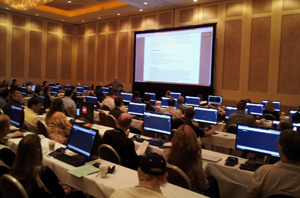 To that end, this month has some tips I picked up at Autodesk University – although I did teach my Hands-On lab twice (shown here, photo courtesy of H. Hernandez, Southwest Airlines), I did attend several sessions – as well as a few from my customers, to wit…
…Fun with AutoCAD 2012 Applications from Autodesk Exchange
…Make a Dynamic Block by Adding a Rotation Parameter
…The somewhat inconspicuous View controls in A2012
…Random productivity features from my customers
Of course, I hope this finds you back on track, several days into the New Year, and looking forward to all that it has in store.
Forward and onward into the 10th year of Michael's Corner!
Autodesk Exchange Apps for AutoCAD
Adding a Rotation Parameter to a Block
A2012 View Controls
This Year, Resolve to Use…
2011
December 2011 - Fun Winter Memories
Hopefully this finds you all looking forward to a fun Christmas season! Be it on the beach sunning and swimming or on the mountain trails skiing and schussing, winter activities are always fun. I think my favorite snow-related memory is here at home in Kentucky, after a pretty good snowfall, sledding down our steps, down the front yard, across the road, down the hill, then rolling off before getting to the creek at the bottom. The walk back, however…
On the AutoCAD front, perhaps you will find something in this month's offerings (presents?) that you will remember and use to make you a wee bit more productive, get the job done sooner, and get to spend more time at home! Consider the following…
…How to use the Revolve command to create a Surface Model
…Features of the Navigation Bar that you may actually be able to implement
…A more efficient way of toggling on and off Isolated objects
…Docking your windows to be more productive, especially when checking your drawing
My schedule at the end of December will be not unlike Santa as he jets around the planet; Guam one week and New York City the next. Nonetheless, I'm sure it will be a wonderful - and memorable - adventure. My lovely bride of 25 years keeps telling me to "Enjoy the Moment". Good advice to one and all.
Blessings to you all for a delightful Christmas season and a great New Year!
A Quick Pique at Surface Modeling
That Navigation Bar
‘Isolate Objects’ Status Bar Icon
Optimized Viewing of Your Drawing Info
November 2011 - From Autodesk University, to Folsom Prison, to Guam!
My travel schedule gets pretty wacky (not as wacky as Shaan's, of course), but this is probably the most exciting sequence of events and locations I've had in awhile. At Autodesk University, I'll be presenting The AutoCAD Toolbelt lab twice, the following week I have been invited to do some AutoCAD training at Folsom Prison (stay tuned to Michael's Corner for more on how that goes!), then I'll be heading down to Guam again to train customers of the New Horizons Learning Center. Ee-Hah!
This month I'll be covering the following topics of interest expressed by folks in my recent training sessions…
Mapping materials to 3D furniture blocks comprised of 3D faces
Adding a button to the Quick Access Toolbar that will reload all Xrefs at once
Putting the workspace name back on the Workspace Switching icon on the A2012 Status bar
Subtleties of the Join command
Really looking forward to presenting at Autodesk University again, as we learn to Export a customized tab from the Ribbon. After AU, I'll be posting the presentation on my Home page, next to the ones from the previous 2 years.
Ah, and a Happy Thanksgiving to one and all.
Mapping Materials to Blocks in A2012 and Tweaking a Visual Style
Reload All Xrefs from One Button
Display the Workspace Label in A2012
The JOIN Command
October 2011 - Colorful Settings
Not quite sure how I ended up with 3 out of 4 articles involving color, but that's how it turned out. I then discovered that I had not been specific about the type of text object that works best with a Dynamic Block (covered in Michael's Corner, August 2011), so I covered the creating of an attribute so the Dynamic Block will be a wee bit more effective.
So, for my birthday month (October 12th, thank you), here's what I have in store:
…Creating a button on the Quick Access Toolbar to load your favorite linetypes automatically
…Follow-up on the stretching Dynamic Block and how to create an Attribute Definition
…The curious case of a transparent Command line
…How to color new dual-element Command line in AutoCAD 2012
I'll be turning in the content for my AutoCAD University labs soon, so stay tuned for the posting of that workbook on my Home page in December.
Hope your October is great!
Load Linetypes from the QAT
Follow-Up to Dynamic Block that Stretches (August 2011)
Transparent Command Line
Command Line Color
September 2011 - Settings & Information
As I reviewed the content for this month, I realized that 3 of the four articles cover running some type of inquiry on a drawing, and the other one shows you how to customize the Osnap setting for quicker access.
Curiously, that's what a significant percentage of your day probably boils down to: Queries, the result of which then enable you to respond appropriately, and settings which enable a quicker response. So here's what I have for you this month:
…Customizing the QAT for quicker Osnap changes
…Configuring Quick Select to use a Wildcard search for text
…Adding the Area property to Quick Properties when selecting a Hatch
…Using Bcount to automatically tally up all your blocks
The cooler evenings make for much more pleasant grilling these days. Hopefully these insights will give you a wee bit more time to experiment with a new recipe, or whatever you may find to do with all that extra time!
Happy Fall to one and all!
Add a Custom Button to the Quick Access Toolbar
Quick Select with a Wildcard for Text
Hatch Area in Quick Properties
BCOUNT [Block Count]
August 2011 - Hot Fun
Some of you are filling in the rest of the song, "…in the summertime", the 1969 hit single recorded by Sly & the Family Stone. As I'm writing this, I'm beginning to appreciate — dare I say 'long for' — the oft-quoted "dry heat" of Phoenix, after spending time in the Caribbean, Florida, and now this curious hot spell we've had here in Kentucky the last several weeks.
Customizing takes the first three spots this month as I looked back over some of the requests I received from my customers recently.
…Creating a dynamic block that can be sized (using a Linear parameter) to accommodate the text string
…Adding a command to an existing drop-down list on the Ribbon
…Organizing the position of the columns in the Layer Properties Manager
…Using the 'Hold' feature in Layer Walk
Hopefully these will make your summertime a bit more productive!
Dynamic Block: Two-Directional Stretch
Add a Dimension to the Combo Drop-down on the Home Tab
Layer Properties Header Organization
Layer Walk: the 'Hold Selection' Feature
July 2011 - Software Fireworks!
A portion of this month's content was written while I was down in the Dutch Caribbean presenting training for the UTS Training & Development Center in St. Maarten. What a joy and a blessing to be invited down there and the hospitality shown to me by the Center's managers, David & Christine McGregor was positively delightful. My 36 students were pretty great, too, I must say.
This month I wanted to tackle the new AutoCAD 2012 Array feature and at least give you some starting points. So in the fashion of the 4th of July, I'll light the ‘fuse of interest’, and my suspicion is you will all have your own colorful ideas on how to apply these insights:
…Creating and adjusting an Associative rectangular array
…Using the multifunction grips and the contextual tab to edit the Associative array
…Mechanics of editing a source object in an Associative array
…Editing stacked fractions in Mtext (I know, totally random)
I sure hope you all have as much fun with these tips as I did discovering them, and I hope you have a safe summer holiday!
AutoCAD 2012's Associative Array
Multifunction Grip and Contextual Tab for Arrays
Modifying the Source Object in an Associative Array
Stacking Fractions in Mtext
June 2011 - Summer Dance
It's been awhile since Donna and I went dancing, but I'm hoping this finds you all looking forward to a drier summer - at least here in the midwest of the USA - and feel compelled to just up and dance a jig to celebrate!
I want to thank David, too, for stepping in and bringing some excellent insights "for Month 101" of Michael's Corner. I was absolutely elated to see his extensive coverage on Excel Data in AutoCAD! That is a topic I have been woefully ignorant about, so hopefully you also feel much more empowered and able to address that topic when it arises.
We'll begin the summer with a customer request and take a look at a few more A2012 entries.
…New UCS Icon power features in A2012
…How to rotate text objects around their insertion point using an Express tool
…How to launch A2012 - or any program - faster by assigning a hot key and a switch
…New Fillet and Chamfer previews in A2012
Thanks again to all of you for your ongoing support and encouragement to the CADTutor team!
The Lowly UCSICON is Lowly No More!
Orient Your Text with Torient
Efficient Startup
A2012 Preview Feature for Fillets and Chamfers
May 2011 - Data Links and New Tools
This month I have the great pleasure of standing in for Michael while he takes a well-earned rest after delivering his 100th Corner last month. Never fear, Michael will be back next month, but in the meantime I have a few things you might find interesting.
We all work with data and commonly, we need to integrate this data with our AutoCAD drawings. This month I demonstrate how to make a data link between AutoCAD and Microsoft Excel and how to display your spreadsheets in an AutoCAD table.
In other articles, I'm covering a few things new to AutoCAD 2011 and 2012 that you may have missed but should know about because they are great for productivity.
Data Link Excel to AutoCAD
Blend Curves
The Ribbon AND Toolbars
Add Selected and Select Similar
April 2011 - The 100th Michael's Corner: Thank You!
 Who knew, back in 2002 when Professor David Watson invited me to contribute to CADTutor, that there would still be an audience 100 months later. I am humbled and honored to still be considered a valuable resource for improving your AutoCAD productivity.
Although the celebration in London this month would have been wonderful, the timing wasn't quite right (and I'm still not sure when I'm going to use that round-trip ticket I have, so stay tuned).
Nonetheless, here are a few of the things I was preparing for that event.
…How to add button to the Quick Access Toolbar for a unique Viewpoint position
…The Hatch Transparency two-step
…A quicker way to make a New Layer using the QAT
…Adding the Object Hide and Isolation commands to the QAT
…And a few other random insights that I have been gathering
And yes, AutoCAD 2012 is now available, so once I work with it a bit more, I'll get back to you on what I find under the hood (or in the trunk with the spare tire!).
Selecting a Viewpoint from the Quick Access Toolbar
Hatch Transparency
Quick Access Toolbar - Your Best Friend
Object Isolation Feature [A2011]
User-Defined Field Format
Hot Key to Toggle Between Viewports
Color Scheme: Light or Dark
ViewCube toggle in Options
Hatch: Match Properties (formerly Inherit Properties)
Locked Layer Fading
March 2011 - March Right In!
I don't know about you, but I was very glad to see March come in - lamb, lion, or otherwise. That was one curious Winter, and Spring can't come soon enough. It also means we're that much closer to the 100th month of Michael's Corner in April, a fantastic milestone for us.
I have some great ideas for next month's edition of Michael's Corner - one of those "you heard it here first" situations for those who get to read it - and then I'll use 'em in my next Autodesk University seminar if my session is selected.
Meanwhile, this month is comprised of some customizing and some off-the-beaten-path bits, including:
…Drawing in Surveyor's Units
…Adding the Single Viewport button to the Quick Access Toolbar
…Locking layers with a Crossing Window (this is a buried treasure!)
…Insights about Xref layers
It has a been a great treat to provide you with 99 months(!) of AutoCAD tips and insights so far, and I hope to make a real splash next month for our 100th month celebration in April!
Drawing With Surveyor Units
Button to Create a Single Viewport
Lock Layers with a Crossing Window
Xref Layer Insights
February 2011 - Sweetheart Solutions
I've always liked Valentine's Day. Being a friendly kinda guy, I enjoyed the whole card swapping that went on in school and now as an adult, it's always a fabulous opportunity for a date with my lovely bride of nearly 25 years. And then there's the chocolate!
Hopefully, this month you will find a feature or two you can learn to 'love' and look forward to using in your daily AutoCAD grind. The four command-truffles I have boxed up for you this month include…
…How to make use of the recently-released AutoCAD WS
…Adding batt insulation to the walls of your floorplan
…Some random AutoCAD tech tips
…How to add a hatch to selected objects
Hope you have a wonderful February!
"On Your Mark…"
The preparations for the celebration of the 100th month of Michael's Corner are beginning to take shape!
Event
A one day seminar presenting April's Michael's Corner content in realtime, some things I am planning for my next AU seminar, along with a few hours worth of tips I have collected and have yet to write about!
Proposed Date
Monday, April 11, 9:00 - 15:00. The time can be tweaked if necessary, and the specific day that week will be determined based on venue availability.
Venue
A location in London's West End, easily accessed by Tube. David has a place in mind, but we have yet to secure the hall; we will definitely know by next month. The hall we are considering holds 70, classroom style. Unfortunately, we cannot provide the logistics for you to hook up your laptop, but you can bring it if you want.
Deliverables
- A workbook similar in layout to Michael's Corner and The AutoCAD Workbench covering the day's topics.
- Door prizes:
3 Copies of The AutoCAD Workbench
2 Flash drives containing the PDF version of The AutoCAD Workbench
1 3G iPad (seriously!) - Lunch will also be provided
Cost
This is based on the venue and the number of you attending! We have no idea how many people to plan for, but at this point, I'm looking at between £75 & £100 per person for the day. The more folks we have, the better the price we can offer!! I would love to have so many that we need to have two days!
*** Please let me or David know if you think you can make this event ***
There will be reduced pricing for Early Registration and for Students with a valid Student ID.
Please tell your friends, co-workers, former employers (that you like), and anyone else you think would enjoy this one-time event. I'm really looking forward to this opportunity. For me, this will be more exciting than Autodesk University! Once all the logistics are in place, I will forward the information to my friends Shaan Hurley and Kate Morrical to post on their blogs.
If any of you in western Europe would be intersested in onsite AutoCAD training while I'm over there, please contact me to discuss availability.
Mechanics of AutoCAD WS
Adding Batt Insulation to Walls
Need-To-Know Tech Tools
Hatch Selected Objects from the Hatch Tab
January 2011 - 2011?? Really?!
Hard to believe, isn't it. The 'new' millenium isn't so new anymore. Well, I guess in light of 1,000 years, 10 isn't so far along. Did you realize there's over 1,000 commands listed in the CUI; closer to 1,500 actually. Let's say that this year you learn 11 new commands/features/insights/tips over the course of the next month. I'll try to do my part, too. To that end, rather than specific commands, we'll start the year with some settings and general concepts, such as…
…Features of the Quick View Drawings and Quick View Layouts interface
…Subtle settings when using the wheel button on your mouse
…How to toggle off the frame of a PDF Underlay
…Customizing the plot scale list
What's in store for 2011? The CAD Tutor folks and I are making plans for a special 100th Michael's Corner coming in April, so stay tuned for that announcement, hopefully coming next month. And, of course, the 2nd edition of The AutoCAD Workbench will be available in June. That edition will include the previous 12 months of tips, so I'll have an announcement about that in the Spring.
Blessings to one and all and I hope you have a rockin' solid 2011!
Quick View Drawings and Layouts
Turbo your Wheel Mouse!
PDF Frame
Viewport Plot Scale
2010
December 2010 - It Was a Very Good Year
Sitting here in Las Vegas where Autodesk University 2010 starts in less than 24 hours and, looking back, it was a very good year. If for no other reason than the publication of The AutoCAD Workbench, a book that was nearly 8 years in the making (thanks in no small part to the efforts of David Watson at CADTutor.net).
The idea or solution for three of this month's four articles came from customers over the last few months (no surprise, I'm sure) and I am delighted to have this platform to share them with you. Specifically…
…How to add commands to the Edit shortcut menu
…How to avoid getting fat lines in a .PDF (that look like they've been drawn with a Sharpie™)
…What variable controls planar vs. 3D for non-planar distance inquiries
…and a Command line insight you may find useful
I'm really excited about presenting my AutoCAD Toolbelt lab twice tomorrow (85 in each session!), and the workbook I will be using will be posted on my website for the next couple months.
Blessings to one and all for a glorious and blessed Christmas and a Happy New Year!
Add Mirror to Your Right-Click Shortcut Menu
Solution to Fat PDF Lines
Finding the 2D Distance Between 3D Points
Another Command Line Insight
November 2010 - Review of Random Ribbon Stuff
Horns, meet the Bull.
It was high time I addressed the issue of transferring customization files, so I figured it would be a good time to do it while Autodesk University was in session. As a matter of fact, everything in here this month turned out to be Ribbon-related, specifically:
…How to export your Workspace and/or Ribbon Tab (and any associated Panels).
…A quick way of maximizing your screen size.
…The Toolbars button on the Ribbon.
…Ribbon optimization technique.
Sales of The AutoCAD Workbench are going very well, thanks to many of you who have purchased your own copy of the book and/or .PDF.
If you think your college or university's AutoCAD course may benefit from The AutoCAD Workbench… or if you wish you had a text book chock full of AutoCAD insights like that when you were in school… let me know and I'll send an evaluation copy to your professor.
Meanwhile, I hope all of you celebrating Thanksgiving this month have a wonderful time wherever you may be and may we all remember to count our blessings daily.
Export Your Workspace or Ribbon Tab via the CUI
‘Full Screen’ Workspace
Toolbars Tool on the Ribbon in A2011
A2011 Ribbon Cycling Button
October 2010 - Fall Flavors
Several years ago I considered writing a book called The AutoCAD Cookbook. When you think about it, you're taking the the vast array of AutoCAD ‘ingredients’ (the commands) and creating appetizers, the main dish, or dessert (the drawings). Instead, the book many of you have now purchased - The AutoCAD Workbench - ran a little closer to AutoCAD's true nature, if only in the fact that the buttons are called ‘tools’.
I enjoyed ‘cooking up’ this month's articles, so I hope you enjoy learning about…
…A more practical solution to last month's coverage of updating blocks that were inserted from a tool palette.
…How to use a custom hatch pattern (.PAT) you may have found on the Internet.
…Why you can't see text in a viewport and what to do about it.
…How to globally Find and Replace attribute values.
Last week one of my customers bought all of the books I had left, so The AutoCAD Workbench is now officially in its second printing! I ordered up another 200 books, so if you have yet to do so, you can order The AutoCAD Workbench from my website using PayPal or download the order form.
October is my favorite month and it's really nice to have those crisp autumn mornings back after a hot summer.
Follow-up to Updating Blocks From a Tool Palette
Download and Install Custom Hatch Patterns
Annotative Text Visibility Button
Replace Attribute Values with FIND
September 2010 - The Clever & The Curious
Getting from Point A to Point B is not always a straight line in AutoCAD and we occasionally need to get very clever in our efforts and frequently discover some curious behavior. Such was the case in recent customer visits and seminars which have lead me to this month's collection where you learn how to…
…Update all instances of a block in a drawing after the tool palette block definition has been modified.
…Incorporate Otrack with Direct Distance entry.
…Re-order the attribute order when creating attributed blocks.
…Float and manipulate a Panel from the Ribbon.
Autodesk University registration opens up this month, too [September 14 for AU in Las Vegas and Virtual and September 28 for AU Extension]. My seminar, The AutoCAD Toolbelt II: Customizing and Power Tools for Productivity, will be on Tuesday, November 30, from 2:00 – 3:00. If you're going to AU, come to my session and sit in the front row!
And if you have yet to do so, you can order The AutoCAD Workbench from my website using PayPal or download the order form.
Hope you all had a great summer!
Updating a Block Definition in a Drawing [Block from the Palette]
Otrack with Direct Distance Entry
Attribute Definition Order
Floating a Panel from the Ribbon
August 2010 - Random Features of Productivity
Now that The AutoCAD Workbench has been published and I'm back out on the road training pretty extensively, I went back through all the little sticky notes I have squirreled away and figured I better start getting them into print. The new hatch features in AutoCAD 2011 are very cool, so I wanted to review a couple of those, and then one of the AutoCAD powerheads at Lawrence Berkeley Labs came to me with a quandry that I think we were able to fix with the old ‘Cookie Cutter Trim’ feature.
Now that I got it all put together, here's what's in store for August 2010:
…Setting a new Origin and Rotating the hatch in AutoCAD 2011
…‘Cookie Cutter Trim’ is still around in the EXTRIM command
…Insights to the Navigation Cube, SNAPANG, & the A2010 Status bar
…Measuring an Area with the Measuregeom command
And if you have yet to do so, you can order The AutoCAD Workbench from my website using PayPal or download the order form.
Hope your summer is going well. Last week I was in Florida and this week I'm in Alaska; corner-to-corner. I have a lot of webinars in August, so I'm looking forward to just sticking around the house for a few weeks.
A2011 Hatch Tricks: Set a New Origin & Spin it
The Old ‘Cookie Cutter Trim’ Still Around in EXTRIM
Navvcube, Snapang, & A2010 Status
The Area Option for Measuregeom
July 2010 - July Celebrations!
Happy 234th birthday, USA! (Well, we have to celebrate something since it won't be a soccer trophy!)
 I had another totally great time in Guam again last month! Here's my team of students from the AutoCAD 2010 Update course I presented for New Horizons Computer Learning Center.
As many of you know, my training sessions are fertile ground for new articles and Guam was no exception. We were all lamenting about the "exploded box" icon for Explode that was introduced in AutoCAD 2009, so I told the guys I would show 'em how to put the firecracker back on the Explode button.
Here's what's in store for July 2010:
…Put the (4th of July) firecracker back on the Explode button
…Including ‘Prompt for Rotate’ in Dynamic Block with multiple insertion points
…‘Single’ option for Copy
…Multiple Points in the Distance option of Measuregeom
And if you have yet to do so, you can order The AutoCAD Workbench from my website using PayPal or download the order form.
Put the Firecracker Back on Explode!
‘Prompt for Rotate’ in Dynamic Blocks with Multiple Insertion Points
"Single" Option for Copy
‘Multiple Points’ Option for Measuregeom Distance
June 2010 - The AutoCAD® Workbench is Now Shipping!
It is our collective pleasure to announce that, by the time of the posting of this month's Michael's Corner, The AutoCAD Workbench is on its way to dozens of you! Those of you who have already sent in payment will be first to receive your copy. I'm really pleased with how it turned out and I hope you are, as well. Over 200 pages, 300+ "How To" exercises, and fully indexed. I think the most humbling emails I received was from a reader in Sao Paulo who said he could now dispense with the loose-leaf copies he had made of assorted articles, now that it was all going to be in one volume!
Download the Order Form which has all the relevant information for purchasing either the book, the .PDF, or a combination of both. You will also find options to use PayPal on the Workbench page of my website.
This month's articles are included in The AutoCAD Workbench, so order your copy today!
…Adding a Sub-Panel to a panel on the Ribbon
…PDF Underlay layers
…Tab through commands and variables
…The BLOCK and INSERT commands
And I want to give a shout out to my class at NeoCon, too. On Wednesday, June 16th I will be presenting my 8th annual ‘AutoCAD Toolbelt’ session at the NeoCon Worlds Trade Fair at the Merchandise Mart in Chicago. I'm looking forward to another great class of very appreciative professionals, some of whom are kind enough to sign up each year!
Adding Another Row to a Panel on the Ribbon
PDF Underlay Layers
Tab Through Commands and Variables
How to Create and Insert a Block
May 2010 - More AutoCAD® 2011 Insights and some Customizing for Fun
AutoCAD 2011 really does bring some luster to the productivity features. I'm having a grand time updating the book with the current version because I'm discovering the subtle differences between A2011, and the previous Ribbon-based versions of A2009 and A2010. And I'm always excited when a customer has a question in training that requires some customizing. This month you'll learn…
…How to add a user-defined button (and an image) to the Quick Access Toolbar
…Some of the cool new selection features introduced to the A2011 shortcut menu
…How to display a toolbar WITH the Ribbon in A2011
…Some fundamentals of the Multiline Text (Mtext) command
Hopefully these tips and insights will enable you to get your job done more quickly so you can get out and enjoy this fabulous Spring weather!
Adding a User-Defined Button (with Image) to the Quick Access Toolbar
Selecting Objects in AutoCAD 2011
Toolbars with the Ribbon in AutoCAD 2011
Multiline Text
April 2010 - AutoCAD® 2011 Hot Spots
Of the dozens of software titles produced by Autodesk, I am quite delighted to be fluent exclusively on the flagship of AutoCAD®. The first version I trained on was Release 10… which was also the first version in which they thought it would be a good idea to alphabetize the layers. Nice.
Guri Stark, (Vice President, AutoCAD & Platform products) mentioned during our ‘Welcome to the Official Launch of AutoCAD 2011’ session that AutoCAD 2011 is their Silver Anniversary version - their 25th product release. From where I sit, it's another fabulous release and has several features that my primary customer base - contract furniture dealerships and corporate Facility Planning departments - will find extremely helpful. My ‘Top Three’ that I'm presenting this month include:
…An introduction to the Hatch improvements
…The now-intuitive process of polyline editing
…The (hopefully last) revision of the process of selection cycling
Stay tuned, I think AutoCAD 2011 is going to be a great ride.
An Introduction to the AutoCAD® 2011 Hatch Updates
Polyline Edits in A2011
Diameter-specified Circle with DYN
Object Selection Cycling in A2011
March 2010 - AutoCAD® 2011 - Ready When You Are!
Dateline March 25, 2010: As many of you may have suspected, AutoCAD® 2011 was officially released today and it was a humbling experience to be seated among Autodesk management and the AutoCAD Development teams at the live webcast of the official launch.
Several of us from the social network of AutoCAD bloggers and authors were hosted by Autodesk in San Francisco in recognition of our enthusiasm for this flagship product. Please be advised: AutoCAD® and it's branded products - AutoCAD LT, AutoCAD Architecture, AutoCAD Civil 3D, AutoCAD Inventor Suites, AutoCAD Map 3D, AutoCAD Mechanical, & AutoCAD MEP - are alive and extremely well.
In the months ahead, I will have articles in Michael's Corner covering some of the wonderful new productivity features found in AutoCAD 2011 and AutoCAD 2011 LT.
"Michael's Corner, 7 Years of AutoCAD Tips & Insights": Update. I have contacted a printer and it looks like I'm still on track to have this title available by June, just in time for NeoCon! I will be working closely with the CADTutor administrator, David Watson, to coordinate the logistics of making the book available to all of you, so stay tuned!
Taking a look at what I just wrote, it looks like customizing is once again the order of the day. Ribbons, tool palettes, and workspaces are the power that drives our productivity… and I've also answered that niggling question about the difference between Off and Freeze that you've always wanted to ask.
Blessings to one and all for a glorious new season.
The Ribbon and Toolbars, too?
Custom Button #14: Layout Tabs with Titleblocks
Ribbon Tab & Panel Shuffle
Freeze vs. Off
February 2010 - Customizing for Fun & Profit
OK, so the ‘Profit’ would be the benefit of being more productive, rather than financial remuneration. Nonetheless, that's what I try to do in these articles; make you more productive so you increase (profit) in your personal time and reduce your overtime.
The main article is a bit code-heavy, but I have posted the necessary files out on my website so you won't have to start from scratch and with a minimal amount of effort can begin using the attributed, automatically incrementing block.
Other insights you will learn about this month include:
…Automating your favorite Workspace using a switch when you launch AutoCAD from the icon
…How to change the width of Mtext that was transferred to Paper space using CHSPACE
…The importance of the Support File Search Path
By the way, the compilation of over 300 tips from Michael's Corner is coming along nicely and I'm still hoping for a June 2010 publish date. All subscribers will get an email when the book becomes available. If you have yet to subscribe, just click the link over on the left panel.
Customize AutoCAD LT Using DIESEL (and AutoCAD, too!)
Setting a Workspace Switch when Launching AutoCAD
Mtext Width After Change Space
The Importance of the Support File Search Path
January 2010 - New Stuff for the New Year!
This year I'm going to be taking on some new projects. For one, I'm going to become fundamentally literate in Revit so that I can allay the fears of my core customers. Contrary to what you may hear from some, it cannot cure world hunger and it does have a specific focus and may not be for every application. I may even have an article or two this year to pass along what I find out.
I'm also expecting to provide training on another product that I'm very excited about that has to do with the contract furniture industry, but I'm not at liberty to discuss that at this time, so stay tuned.
And finally, I hope to finish the book compiling the last 7 years of Michael's Corner (Oh, please, God). Not sure what format this will take - definitely an eBook for starters - so I have quite a bit on my plate for the next few months.
What you have before you is…
…Referencing a PDF Underlay
…Adding another tool to an existing Panel on the Ribbon
…AutoCAD Timesavers to speed up your system that I learned at Autodesk University
…Status Bar tidbits
I hope this New Year will be your best year ever!
PDF Underlay
Add a Tool to a Panel
AutoCAD Timesavers
AutoCAD 2010 Status Bar Tidbits
2009
December 2009 - …and December Makes Seven
By the time this is posted, Autodesk University 2009 will be in the books and several thousand users of Autodesk products will be on sensory overload, myself included. Over the next few months I'll be sure to pass along some of the "Best Bets" that I came away with from the sessions I attended. I am also considering including occasional coverage on Revit since so many of my customers have encountered firms providing and requesting Revit-generated drawings.
As is often the case, my topics this month lean heavily upon the requests, comments, and encounters of those customers, and this month they include:
…Adding a drop-down list of 3D commands to the Quick Access Toolbar
…Creating a customized hatch pattern with the Express Tools command, ‘Superhatch’
…An important follow-up to the September coverage of DIMASSOC
…The wisdom of using the Rectangle command rather than Pline to create& the lowly rectangle
And so this December completes the 7th year of Michael's Corner. Hopefully, I can have a book in your hands - either an eBook or printed media - before summertime that contains the last seven years of tips and insights, updated to AutoCAD 2010. That's my goal this year, so stay tuned.
Blessings to one and all for a very Merry Christmas and a joyful and exciting New Year!
Adding a 3D Modeling Dropdown to the Quick Access Toolbar [A2010]
SUPERHATCH [Express Tools]
DIMASSOC Follow-up: DIMDISASSOCIATE (seriously)
The Lowly Rectangle
November 2009 - Very Thankful
 The United States celebrates Thanksgiving this month (the last Thursday of the month), so I just wanted to say thank you from myself (in Kentucky) and the CADTutor staff (in England), for your continued interest and encouragement to us; we do appreciate your patronage. Autodesk University will be upon us in no time (and may be going on when this column sees the light of day), and I'm getting pretty excited.
This month I'm sharing with you a couple topics that will be in my AU Lab regarding the AutoCAD 2010 Quick Access Toolbar and Workspaces. I'm also adding a couple editing tips such as suppressing that giant Mtext Editor when you edit Mtext and the fundamentals of changing dimensions with the grips.
…and I would love to hear from you if you're cooking your Thanksgiving turkey by some method other than an oven!
Assigning a Quick Access Toolbar to a Workspace [A2010]
Adding Layer Combo to the Quick Access Toolbar
Giant Mtext Editor Solution
Dimension Grips
October 2009 - Burning Cake
The light from the bonfire we'll be having later this month out in the back pasture will marginally resemble the glow from the 56 candles I'm sure my family will try to put on my cake in a few days (traditional Columbus Day, thank you). Apart from being my birthday month though, I just love October and the beginning of the Autumn season.
As I was developing the opening article on Multiline Attributes, I bumped into a site that contains lots of AutoCAD blocks for your AEC projects. www.arcat.com/details/cad_details.shtml. There's also an FTP site that Autodesk maintains where you will find additional blocks, although navigation through this site is a bit less organized. ftp://image.autodesk.com
This month in Michael's Corner I'm covering…
…Adding a Multiline Attribute to an Existing Block - updated from January 2007 to include Multiline Attributes.
…Using Paste to Original Coordinates from the Shortcut menu.
…How to Add Another Vertex to a Polyline.
…Sharing Your Content on Autodesk Seek.
Enjoy your S'mores this month!
Multiline Attributes
Paste To Original Coordinates
Adding a Vertex to a Polyline
Sharing Content on Autodesk® Seek
September 2009 - Preparing for Autodesk University
My proposal for a Lab Session at this year's Autodesk University has been accepted and I figured my monthly column would be a fabulous venue to get prepared for that auspicious (and humbling) event. At this date, about 75 folks have signed up to be entertained… and will hopefully learn something along the way.
I take great comfort in knowing that my good friend from Southwest Airlines, Hugo Hernandez, has agreed to come and lend a hand as one of my Lab assistants for this 90 minute exercise. Joining Hugo will be Kate Morrical, Autodesk's Technical Marketing Manager for AutoCAD LT and author of the LT Unlimited blog. Shaan Hurley, endless traveler, photographer, fellow gastronome, and author of Between the Lines will also be assisting. All in all, it should be a real fun time.
This month in Michael's Corner I'm covering…
…How to add a Contextual Tab State.
…Assigning Quick Properties to F4.
…Another application for the curious, albeit powerful, variable DIMASSOC.
…Insights into the Autodesk Seek site.
Stop Press: As of the date of this posting, my AU2009 AutoCAD Toolbelt session is sold out! Yep, there are 85 of you out there who will be starting the first morning of Autodesk University with 90 minutes of edu-tainment from the AutoCAD Trainer Guy, and I promise to do my best to make it worth waking up for.
A2010 Ribbon: Contextual Tab State for Dimensions
Quick Properties to F4
DIMASSOC
Autodesk Seek
August 2009 - 7th, 8th, and 9
I was just sitting here thinking about the history of this particular column, and realized this is the 7th year I've been writing this column, and we're now in August (the 8th month) of 2009. Which then reminds me of my favorite Chinese restaurant , 4-5-6, in San Jose, CA where I like to go with friends when I'm out there.
To bring things back in focus, this month we have…
…How to add a new Tab and Panel to the A2010 Ribbon. (I'll be showing this in my Lab at AU this year.)
…A new tool palette button to insert your favorite Layers, Text Styles, Dimension Styles, etc. into any drawing.
…The Menu Browser's "Access Date" feature, ala the old "AutoCAD Today" interface.
…Applications and benefits for the Quick Properties window.
Hope you're having a wonderful summer! (…ah, unless you're in the southern hemisphere like my buddy, Hugh Bathurst, who is desperately in need of the sunshine so he can get back on those waves off the coast of Melbourne.)
Adding a New Tab and Panel to the Ribbon in A2010
Custom Button #13: Insert Your Favorite Settings From a Button
Drawing Access Date in the Menu Browser
Customizing Quick Properties
July 2009 - Recession-Proof Productivity Tips
We all have to work smarter these days. For those of you needing to keep your skills sharp as you look for a new position, the Archives have over 400(!) tips and insights that are sure to enhance your "skills portfolio". If you now find yourself doing the work of the folks that were just let go - or have fewer hours to handle the same workload - you may find just what you're looking for this month.
This month we have…
…How to economize the Ribbon in A2009 and A2010. (I think I have mine just where I want it.)
…What you can do to ‘dismantle’ AEC_WALLS in a drawing originally created in AutoCAD Architecture.
…‘Text only’ dimensions (definitely belongs in the ‘Odd Spot’).
…Using Properties to ‘straighten’ skewed blocks and text objects.
Hopefully these tips… afford you some time to tend that garden!
Ideas for Personalizing the Ribbon
Dismantling AEC_WALL Objects from AutoCAD Architecture
Text Only Dimensions
Straightening Skewed Annotation and Blocks
June 2009 - NeoCon No.7!
This year marks the seventh year running that I have presented my AutoCAD Toolbelt seminar at the NeoCon World's Trade Fair (www.neocon.com)… and I have enjoyed it every year. To that end, the tips this month either come directly from one of my contract furniture customers, or relate directly to their daily AutoCAD involvement.
In May this year, I held an ‘open to the public’ AutoCAD Toolbelt Productivity seminar in Phoenix [if you would like me to come to your area, please let me know and I'll set one up]. As I expected, Tara (a longstanding customer now at WORKspaces), was interested in customizing the right-click shortcut menu. That solution is in the lead article. Then Dennis (one of three who attended from ethos), pointed out how to bump the number of drawing files listed in the A2009/A2010 Menu Browser. You'll find that in the Odd Spot.
The Power Tool is something I discovered in the A2009 CUI as I was setting up the lead article. And the Basics covers something brand new in AutoCAD 2010: the ability to rotate a viewport and either take the view with it or retain the view orientation; very cool.
Also, in case you missed it, Autodesk had me in the hot seat for their "Ask the Expert" series for 5 days in the middle of May. Gracious, that was a real exercise in humility! Of the 22 questions I was peppered with, I had to look up half of 'em. If you're interested, you'll find the entire series of Expert questions and answers at the "Ask the Expert" archives (http://autocad.autodesk.com/?nd=ask_the_expert_past).
Have a healthy and safe summer!
Edit the Shortcut Menu
Edit the Rollover Tip Info
A2009/A2010 Menu Browser Files
Rotating a Viewport in A2010
May 2009 - Discoveries and Recoveries
The discovery this month is a result of an email I received on the day I was writing this article and it had to do with taking X,Y data points that were in Excel, then getting them to create a drawing. Take a look at the Odd Spot for that one. As for the recovery, Workspaces have been around for several versions and I'm just now getting to their coverage, so thank you for your patience on that one.
This month's Power Tool is a long one since it involves a Dynamic Block… but I had a really great time making a video for you to replay! And there's a reminder in Basics about the Taskbar variable; not something I use, but you may be interested in it if your more of a mouse person, than a hot key person.
Spring seems to be taking its good ole time getting around the corner here in Kentucky, but I get to spend some quality on the riding mower.
Workspaces circa AutoCAD 2010
Dynamic Block Feature: Move + Stretch
Coordinates from Excel into AutoCAD
Separate Drawings on the Taskbar
April 2009 - Just Like Clockwork

Actually, it's a much better arrangement than we had back in the day. After Release 10 we figured, what, about 12-18 months before the next release? For the last several years now, you have been able to bank on the next release coming out before the end of March and as of this writing, your AutoCAD 2010 is officially on the streets.
I used A2010 for all the exercises and screen captures, just to make sure all the routines worked. They do. There have been some incredible improvements in the area of 3D in A2010, but this month I'm going to show you the good ole 3DCLIP command that many of my contract furniture customers will appreciate (which also includes a video to assist in your understanding). The custom button this month comes from a suggestion from my Angola students who always draw circles based upon the diameter, so you may want to take a look at that if you're in that situation most of the time.
Then I had an epiphany and remembered the A2000i command, BROWSER, which lets me access a URL right out of AutoCAD! And while you're accessing the Internet, take a look at our CADTutor Forum or the Help command in A2009 and A2010 that includes direct access to the Autodesk Discussion Groups.
By the way, I sent in my proposal for a 90-minute lab at Autodesk University in December, so let's hope they accept my idea… then all of you sign up and we'll have a good ole time!
3D CLIP and a Named View
Custom Button #12: Circle Command with Diameter
BROWSER Command to a Website
CADTutor Forum & Discussion Forums in AutoCAD Help
March 2009 - Marching into Spring

I know, that title is lame, but it is nice to see Spring on the horizon, nonetheless. A piece of my winter was spent south of the equator, as many of you know. So while my lovely bride of 23 years was taking care of our home in freezing temperatures, I was on a new adventure in Angola.
Several of this month's articles came up while I was there at Chevron's Malongo camp. It has been several years since I reviewed data extraction, so I have a simple overview of the screens you'll see for that process. I'm finally going to address the Double-Click action settings in the CUI this month, too… and this month will be our inaugural foray into the use of animation for an article!
I made an interesting discovery with one of the Chevron drawings involving a 2D Polyline, too, so that's in the Odd Spot. And one of the folks in my training was interested in the ability of splitting the Model view into viewports - a powerful feature that's been around for a really long time that warrants a Basic review.
All in all, it was a fabulous 2 week at Chevron's corner of Cabinda, and I'm looking forward to the possibility of a return trip to work with the many friends I made while I was there.
Extracting Attribute Data
Double-Click to Edit Dimension Text
2DPolylines vs. Polylines
Split Viewports in Model Space
February 2009 - February in the Tropics
Technically speaking, Angola is within the bounds of the Tropic of Capricorn, and that's where I'll be spending the first half of February. I'll be with a number of AutoCAD users at the Chevron facility down there and I'm really looking forward to this opportunity. It seems like Shaan Hurley was having all the travel fun there for awhile.
This month I have 3D bookends: The Visual Style referenced as ‘X-Ray’ is presented as the lead article, then in the Basics we'll take a look at the ViewCube introduced in A2009. In the Power Tool, you may want to add the SETBYLAYER command to your on-going palette and the Odd Spot looks at the wonderful command that enables you to delete those annoying layers "with nothing on them"… by Name.
For those of you interested in my specific whereabouts in Angola, here's the link using Google Maps (and if you're using Google Earth, here's the .KMZ file).
The ‘X-Ray’ Visual Style
SETBYLAYER
Layer Delete ‘Name’ Option
The A2009 ViewCube
January 2009 - Ready or Not, Here's 2009!
Funny thing about "Time"; it just keeps goin'. As I sit here in Kentucky on New Year's Eve in front of our Christmas tree, my friend Joshua in New Zealand is probably already celebrating 2009! Like giant, deliberate dominos, the midnight hours are striking those lines of longitude, heading your way.
New Things in 2009
Speaking of longitude, after years of training in the United States (including Alaska and Hawaii), I'll be training in Angola, Africa for a couple weeks in February, working with two teams at Chevron who are responsible for a vast array of drawings. That will add a fifth continent and an eighth country to my list of training locales, and will certainly be a new experience. Look for some insights in future articles from things I'm sure I will encounter over there.
Another idea I hope to implement before the year is out is at least one video clip included with an article every now and then. The Camtasia product makes it very simple to create videos, so our webmaster, David, and I will kick that around a little and see what we can do. I'll still have the instructions to follow along with, but a 15 or 20 second clip would be really cool, don't you think?
And finally, before summer, I hope to publish a compilation of all of the Michael's Corner articles from 2003 thru 2008. Tentatively titled, "Michael's Corner: The First Six Years", I'll organize and update all the articles to be applicable for A2008 thru A2010. After a brief poll, it appears that you would rather have a hard copy that you can highlight, sticky-note, dog-ear, and take notes in, rather than a PDF file. If you have any suggestions, I'd love to hear from you.
Ah, yes, and this month continues with a custom button for your ever-growing tool palette, along with a quick trick to modify the attribute definitions of a block. In the Odd Spot I show you how to get that Startup dialog box back as well as a buried command to let you identify who has the drawing open that caused you to get the Read Only box. And finally, I think I may have clarified why that Breakline command from the Express Tools never quite worked out for you.
I hope your New Year is off to a fabulous start!
Editing Existing Attribute Definitions
Custom Button #11: Restore a Layer State
Startup & Whohas
EXPRESS: Breakline + Symbol
2008
December 2008 - Merry Christmas 2008!
As the Christmas season approaches, I want to let you all know I'm very thankful for each one of you and your interest in the tidbits I post in this monthly column. I'm honored to have been a part of the CADTutor team now for 6 years. I have a couple ideas for the New Year, and will keep you in the loop as those ideas develop.
This month, with the exception of the lead article on customizing a flyout button on a toolbar, all of the topics are AutoCAD 2009-specific. There was no real reason for that, but sooner or later, you're all probably going to be able to benefit from these insights.
Wishing you all a safe and blessed Christmas season and a fabulous New Year!!
Creating a Custom Flyout Button on a Toolbar
Customizing the A2009 Quick Access Toolbar
Locked Layers Fade Value
A2009 File Preview Images
November 2008 - Actions and Edits
Regardless of the state of the world's economies these days, those of us on the CAD crews still have to be efficient and get the job done. In an effort to support those efforts, I thought I'd take a look at the Action Recorder which can really make repetitive tasks go quickly. I would love to hear how you are using this new A2009 feature, so send me a quick email on the series of commands you're automating.
In the remaining articles, we take a look at an extremely clever use for Alternate Units in a dimension (thank you, Alaska), as well as how to edit the cells in a Table (a question from one of our loyal readers). In the Basics section I am answering a question that typically comes up in training as I'm covering layer states, and that is how to edit a layer state if the layer condition of that state needs to be modified. This was a fun bunch of features to cover.
Wishing all of my fellow Americans a Happy Thanksgiving and may we always remain thankful for the many blessings the good Lord has bestowed upon each one of us.
Action Recorder in A2009
Feet & Inches + Inches, Too
Copy Table Cell Contents
Updating an Existing Layer State
October 2008 - QBSF*
My birthday is on traditional Columbus Day, so I would first like to send out birthday wishes to all of you October 12th folks. 55, thank you… and cards are welcome.
Customizing takes over again this month as I bring my monthly Tool Palette button to the front of the pack in an effort to help those of you who are doing area hatches for Phasing or Departments on a floorplan. Then I was thinking about how to automate the cool Quick View Drawings command without putting it on a palette… and thought it would be cool to put it on a Function key, say, for example, that one we all love to hate - F1.
In the Odd Spot I make a quick mention of one of those things that will mess with your head until you finally realize what's going on (see below), and then I wrap it up with a review of the Perpendicular object snap in the Basics.
* Quicker, Better, Smarter, Faster. I made that up. You can use it.
Select Objects for a Hatch on a Button
Quick View Drawing to F1
Locked Vport Layer
Snap to Perpendicular
September 2008 - My Customers Rock!
As I was putting this month's column together, I realized that each one of the featured articles were insights that my customers either suggested in training or discovered on their own as they were going through the training workbook. As a matter of fact, I typically encourage my students to show me things that they may have found as they were working through a training exercise.
I will readily admit the CUI is sometimes a mystery to me, but I knew RJ (Sheppard's Business Interiors in Omaha) would have an answer on how to export a toolbar. For the tool palette button this month, the wonderful ladies that oversee all things facilities-related at Lawrence Berkeley Labs asked me if they could put the Express tool feature of Enclose Text With Object on a button… so we did! Then I was training the folks responsible for the space planning of the corporate facilities of Union Pacific Railroad in downtown Omaha, and they encountered a few other things that comprise the remaining topics of interest this month.
Finally, I want to thank Herman Miller for inviting me to speak at their first-ever North Area Design Forum in Chicago later this month. I'll be covering the AutoCAD and furniture-specification areas of interest and I'm looking forward to seeing all those who will be in attendance, many of whom are existing customers.
Bonfires, S'mores, and roasted marshmallows are just around the corner!
Exporting Your Custom Toolbar
Custom Button #9: Enclose Text with Object
Update: A2008 & A2009 Import Layer States
Triple Scoop
August 2008 - Tables Revisited Circa 2009
First of all a huge "thank you" goes to my friend and colleague - Professor/Webmaster/Photographer/Gardener - David Watson for stepping in to spot me the month of July. His coverage was mighty timely and I hope you all found it as helpful as I did in coming to grips with the Ribbon of A2009.
This month I had intended on presenting my typical four articles, but as I got into my review of the current state of the AutoCAD Table, it consumed the entire month… just like it did when I covered the same topic in January 2005. Clearly it was time for an update.
Next month I promise to have the full compliment of articles along with maybe an extra one here and there.
AutoCAD 2009 Tables
July 2008 - 2009 Ready or Not
This month, Michael is taking a break (don't worry fans, he'll be back next month) so you'll have to put up with me. To be honest, I've quite enjoyed putting together this month's Corner. Hope you like it and maybe learn something new.
I've been putting off the move to AutoCAD 2009. Well, I have a couple of long-running projects and the transition will disrupt my workflow. On the other hand, what productivity gains am I missing out on? Also, come September, I have to begin teaching AutoCAD 2009 to CAD newbies; I really ought to take a look. This month, I'm bringing you my thoughts (good and bad) on the dreaded ribbon.
I'm also taking a look at Autodesk Freewheel. Never heard of it? You will - it's probably the most exciting development in interactive web-based drawings since… well, you know - the web. In the Odd Spot, I've got some news for people with Quadro FX graphics cards and in The Basics this month I'm telling you how to get your hands on free copies of AutoCAD (no, really).
Don't Fear the Ribbon
Autodesk Freewheel
AutoCAD Performance Driver
Free AutoCAD
June 2008 - NeoCon 2008 Bonus Round
This month I'm speaking at the NeoCon World's Trade Fair in Chicago for the sixth year in a row. The Merchandise Mart is swarming with folks from every facet of the contract furniture industry as well as those industries and vendors that support it… and it's great fun!
So just in case I finish going through my handout too early or I run out of things to say (…right), I can refer to this month where I begin my articles on AutoCAD 2009 and how we're just going to have to deal with it and jump right into the Help features. Of course a new button on a palette is in order and this month we automate the M2P feature, compliments of a little brainstorming with customers in Dallas. I also share the little nugget on the status bar to lock a viewport as well as a reminder about the Select option of the Dimension Continue command.
As always, if you want to be notified when Michael's Corner is posted, click the Subscribe button over on the left pane. Hopefully these insights will give you a bit more peace of mind as you make your way through your AutoCAD In-box.
See you in the Elevators! (it's a Mart-thing)
AutoCAD 2009: Dealin' With It
Custom Button #8: M2P, ready to go
Lock Viewport on the A2008 Status Bar
Dimension Continue
May 2008 - Memorable May
One of the reasons I enjoy writing this column each month is that I get to learn about features that I had always wanted to look into but never had the time. The Layer Translator has been around for several versions and is something that those of you receiving drawings from outside sources may appreciate. My customers have - once again - come up with questions that brought me to the two legacy variables as well the variable to enable AutoCAD to remember the folders from which you open drawings. And, of course, there's another tool palette button idea for you, too.
I hope these insights bump your productivity a bit today so you can have a few more minutes with your family or favorite activity.
Layer Translator
Custom Button #7: Dimensions on a Button
Legacy Settings
Rememberfolders
April 2008 - Customizing and Discovering
As you know, I'm passionate about palettes (professionally speaking), so I have finally gotten around to covering how to add another block as a visibility parameter on a dynamic block (which imminently ends up on a tool palette). I'm also keeping the ball rolling with yet another custom button on the tool palette; this one you can call "Wall Maker" or "Duct Worker" or whatever suits your particular application.
The discoveries I wanted to pass along are those related to layer filters and PDF files. I read an article in an eNewsletter that I subscribe to through Cadalyst which spoke about the Filters command that can be used to keep or delete layer filters you may encounter in a drawing you receive. Then one of my students was asking about bringing a PDF into AutoCAD, and when you think about it, it's nothing more than inserting it as an OLE object. Both of those I thought were pretty slick and I hope you agree.
I hope these insights bump your productivity a bit today so you can have a few more minutes with your family or favorite activity.
Adding Another Block as a Visibility Parameter
Custom Button #6: Double-Line [Dline]
FILTERS and LAYEREVAL
OLE a PDF
March 2008 - Just Call 'Em “Tenured”
Fields are relatively new to AutoCAD, but this month I also cover three other commands that have some tenure in AutoCAD. From a dusty bin on your tool bench, the Global Attribute Edit routine can be really useful when working with attributed blocks. And once upon a time, when dialog boxes were in their infancy, just about every procedure was command line-driven… and occasionally they creep back into our daily grind and need to be put back in their place. Cmddia and Filedia, specifically. And finally, one of my favorites, the powerfully functional utility of tiling the drawings so you can copy objects from one drawing to another in a snap.
I hope these insights bump your productivity a bit today so you can have a few more minutes with your family or favorite activity.
Global Attribute Edit (aka Gatte)
Custom Button #5: Plot stamp Field on a Palette
CMDDIA vs. FILEDIA
Tile Vertically
February 2008 - It's all about Shortcuts
First, I want to thank Lee Ambrosius for stepping up to the plate for the month of January where he took our understanding of customizing up a notch and gave us some pretty cool insights into writing AutoLISP and Scripts routines. He humbly failed to mention that he is the co-author of the "AutoCAD and AutoCAD LT All-in-One Desk Reference for Dummies" book, and you can read a few chapter excerpts on his website, www.hyperpics.com.
Sometimes when I'm training, I tell my customers that my goal is to help them go home sooner than they would have if they didn't know the shortcuts I'm there to share with them. I'm just there to help them learn how to shave moments off their daily routine. Like your waiter shaving a pile of parmesan onto your pasta, I'm there to pile up the shortcuts.
This month has what I would consider to be three shortcuts along with an opening article on a practical application for the Wipeout object.
Now go out there and make somebody's day by being the most gracious and devoted AutoCAD user on the planet!
Including a Wipeout Object with a Block
Custom Button #4: Pushbutton Linetypes in a Viewport
Orthogonal Pan
Grip Copy for a Leader
January 2008 - Great Mysteries of AutoCAD
Congrats to Michael and his achievement of writing this column for the past 5 years. After 5 years and 60 articles later, he has decided it was time to take a break. So while Michael is enjoying his time off and being away from his computer (I know time off for me equals more time with mine), I was asked to step in for this month (no small task I must say). So on with the show…
Customization or programming are often two of the great mysteries of AutoCAD; many people do not know about it or they want to learn to do it, but decide it is not for them before they even try it so it is often left to what seems like a select or "elite" group of users. Being able to change the way you work in AutoCAD is one of the benefits to using AutoCAD; not only can you decide where or how you might access a command, but you can create your own commands. This month, I am going to pop open AutoCAD's hood and take a look around and you might just be surprised how easy some of the things can be when it comes to customization and programming AutoCAD.
In the main article I am going to look at using AutoLISP to batch automate the draw order of single line and multiline text in all the drawings located in a specified folder and then in Power Tool I am going to talk about a utility called ScriptPro which allows you to run a script file on a set of drawings in a slightly different way to batch process drawings. I then round off this issue with creating simple custom commands with AutoLISP to run commands with options which cannot be done with command aliases alone and how to create a basic script file that can be run on a drawing or as part of ScriptPro.
Batch Automating Draw Order
Running Scripts like a Pro
Command Aliases and Options
Getting AutoCAD to Follow a Script
2007
December 2007 - Five of 25… and No End In Sight
A quarter century is a long time to be in the CAD training profession, but it's been a fantastic ride and for 1/5th of that time I've totally enjoyed bringing AutoCAD insights to you from Michael's Corner. And here's what you'll find this month…
With all the Windows-compliant procedures, I just think the hyperlink is a wonderful feature to help keep track of other documents. This month there's a curve in associating a hyperlink with a block on a palette that I thought you should be aware of. The customized palette button this month is one that incorporates a few other features that I have covered in these pages having to do with the UCS, so I think you'll really appreciate the boost you get when you add it to a button or two. The Viewports dialog box brings some interesting to the table, especially when you're doing 3D-views in a layout tab. For the Basics this month I wanted to bring your attention to some "system management" issues you may be able to handle on your own having to do with the backup and autosave files.
Also, I just want you to know that I will be taking a break in January and will be back in February with a new collection of insights for 2008 (the year, not necessarily the version).
Hyperlinked Block on a Tool Palette
Custom Button #3: Automating UCS Object & UCS World
Viewports
Purpose Served: The .BAK, .SV$, and the .DWL
November 2007 - AutoCAD Back Roads
It seems like this month's collection consists of items you don't find on the main AutoCAD road of life… but may find a bit useful. The Odd Spot and the Basics address two areas that catch even veteran users by surprise. The inadvertent invocation of the Cleanscreen command and how to enable two very important Pick- variables that may have mysteriously became disabled.
In my series on customizing buttons, this month I cover how to make a button so you can just click an existing object and turn it into a Revcloud. Pretty fun! Then in the opening article, I cover how to protect a drawing with a Password. Not something you encounter every day, but something that has come up in my training sessions on more than one occasion.
Drawing Encryption
Custom Button #2: Revcloud from an Object
Cleanscreen… or Open a Drawing?
Pickadd & Pickfirst
October 2007 - Customizations & Conveniences
Customizing AutoCAD is not really that difficult. I'm not talking about anything fancy like Lisp routines or VBA, just using the features that are available to tweak a few more RPM's out of this thing. For example, if you want to populate all the title blocks on the various layout tabs with the project name automatically, how would you do that? Take a look at the opening article. Then in the Power Tool I propose a method to get the same arc length(s) for a revision cloud every time on any drawing life throws at you - and on the proper layer, even if the layer isn't in that drawing. Not rocket science, just eliminating the aggravation we encounter every now and then.
Then I wanted to follow-up an article from a couple years ago on cycling through stacked objects. Autodesk decided to make it a bit like rubbing your belly and patting your head; you'll see what I mean if you look over the Odd Spot. And then I have been remiss in not letting you all know how to lock the viewport display so you don't obliterate the plot scale when you roll your wheel mouse in a viewport.
Now go out there and share what you've learned just so you can brighten up somebody else's day. You'll be their hero.
Drawing Properties to a Field
Custom Button #1: Consistent Revision Cloud
Cycle Thru Follow-Up
Locking a Viewport
September 2007 - Learning Curves
In my copious "free time" I promised myself to look into material mapping. Well, push came to shove and I needed to get on the learning curve and figure this out, so that's what's front and center this month. My friend Lee Ambrosius [www.hyperpics.com] has authored the "AutoCAD 2008 3D Modeling Workbook for Dummies", just in case any of you want to take what you see here and continue your own learning curve.
The remaining articles are things I had in my "To Cover" list and in my recent training sessions, customers have bumped into some things that I needed to clarify… so hopefully the coverage on Copy with Basepoint, Otrack, and a really cool trick to run 3D Orbit will bring joy to some faces. Which is the point of this whole exercise.
Applying an Image to 3D Objects in A2008
Copy with Basepoint
Hidden 3D Orbit
Object Snap Tracking (F11)
August 2007 - Annotation & Customization
AutoCAD 2008 really is a nice piece of work. They made some nice refinements in the Mtext routine and gave us the ability to add columns, then gave us some flexibility with the Dashboard so we can customize it with our own commands. In the Power Tool I pass along an answer to one of the emails I received about adding some color to an area of a floorplan, then while I was working on the title blocks for one of my customers, I came across a feature in the Block Attribute Manager (Battman) that I wanted to remind you about.
Version conversion note: I don't usually do product promotions in these pages, but I think it's important to get the word out about Autodesk's TrueConvert product. With so many versions out there at this point, this utility is a "must have" for all offices.
A2008 Mtext Multiple Columns
Getting Your Hatch in Order
Battman Follow-Up
A2008 Dashboard Custom Panel
July 2007 - More AutoCAD 2008 Insights
The more I work with AutoCAD 2008, the more I find to be excited about. This month I cover the Layer Override by Viewport feature which, for my customers, I think is the most immediately useable new component of the product. Then this week I was training in Los Angeles, and we were reviewing the Express feature of Layer Isolate… and discovered that Layer Isolate now comes with a Settings option that incorporates the new A2008 Lock and Fade feature. Whoa! Cool!
In the Basics I figured I may as well keep going with the general A2008 theme, so I offered up an introduction to the Dashboard palette. The Odd Spot is the odd man out; that's the only topic this month that doesn't have a specific A2008 element to it. I just found it interesting that Ortho tends to creep into areas that you wouldn't expect, so I wanted to share those with you… and how to temporarily disable (or Enable) Ortho as needed.
If you feel so inclined, email me and let me know how you're using the things you learn in these articles. It's always great to hear of practical applications.
AutoCAD 2008 Layer Stunner
A2008 Layer Isolate Settings
Ortho Intrusions
The A2008 Dashboard
June 2007 - But wait, there's more!… at NeoCon® 2007
On June 11th, I'll be presenting my AutoCAD Toolbelt Seminar at the NeoCon® 2007 World's Trade Fair. This is the fifth year in a row that my CEU seminar was selected for presentation at this prestigious conference held annually in Chicago.
This month I decided to grab the bull by the proverbial horns in a couple areas. First, the Annotative Text in AutoCAD 2008 is, in my estimation, the big dog of this release. It's a bit complex, but given the right setup and conditions, I think you will all appreciate the power it packs. The other major hurdle I addressed was the creating of a Plot Style that pre-A2008 folks can use to highlight certain objects when they plot. For those of you with AutoCAD 2008, next month I'll be covering the (extremely) cool features found in the Layer Properties Manager.
In the Odd Spot, I addressed the importance of the position of the Alignment Parameter since there have been a couple instances in the last few months where I overlooked emphasizing this in training causing the alignment feature to misbehave. This month's Basics is being driven by customer questions, too, since sometimes you may get, shall we say, "unexpected results" when using the Layer Freeze feature from the Layers II toolbar. My hope is that it clarifies some of the things you may have encountered.
Have a wonderful summer!
The Big Dog: Annotation in A2008
Plot Styles to Punch It Up
Alignment Parameter Set to 0,0
Freezing Individual Layers in a Single Viewport
Export AutoCAD 2008 Settings
May 2007 - AutoCAD 2008 Bits & More Palette Pieces
I want to start weaving some AutoCAD 2008 bits into the Corner, beginning with a quick overview of the Leader Style feature along with the small but integral feature of a much more intuitive method to copy and move layout tabs. The other two articles cover my favorite area of palettes. I apologize for not telling you how to export a tool palette until this month. I've been sharing this with my customers for months but just recently realized I never put the "how to" up here. Those of you who like to customize should be able to put good use to the Power Tool I have for you this month, too.
Now, go out there and be an inspiration to others!
A2008 Multileader Styles
Pushbutton Mtext for Model or Paper Space
Move or Copy a Layout [pre-A2008 vs. A2008]
Exporting a Tool Palette
April 2007 - Introduction to Sheet Sets & Some Customizing Insights
When AutoCAD 2005 was nearing completion, Autodesk approached me to write a book for them on transitioning from AutoCAD 2000 to AutoCAD 2005. Released as Autodesk Official Training Courseware (AOTC), it included coverage on the new features of tool palettes, gradient hatches… and sheet sets. This month I thought I would at least introduce you to what that Sheet Set Manager window is all about. When you get your new software this month (as many of you are moving from A2004 up to A2007 or A2008), I also wanted to introduce you to those dynamic blocks on the sample tool palettes, specifically the one that has a built-in bubble with a number and you can edit the length of the line after you add a title and a plot scale.
In the Odd Spot, I wanted to follow-up on my coverage in August 2006 on adding a command to the tool palette by showing you how to add a blank button to a palette. Once you have one of those, you can copy it to other palettes and customize the command string of that blank button to do anything you want. Quite Quul (I just made that word up; you can use it). And finally, just a final word on adjusting the dimensions in a drawing by changing the value for the Overall Scale Factor.
So, You Want To Know About Sheet Sets?
Dynamic View Labels
Follow-Up: Blank Tool on a Palette
Dimension Scale
March 2007 - Annotation Objects & more 3D from AutoCAD 2007
This month I decided to investigate a couple things that I had been wanting to learn more about, so I'm passing my findings along to you. That DUCS button that first showed up on the AutoCAD 2007 Status bar got my curiosity up, and now I'm a true devotee! Then, I will admit to not fully understanding why a Linear dimension is referred to as a "Rotated" dimension in the Properties window. Take a look at the Basics section to see what I found out.
The Power Tool this month is a great little feature from the Express Tools collection that enables you to align text along an arc and has quite a powerful array of features. This came up when a reader from Fullerton College emailed me about how to "bend" text. Then I think I was on the AUGI website (www.augi.com) when I read about the Convtosolid command that lets you take a closed polyline with thickness… and basically fill it with concrete! (It creates a solid).
This month (as with just about every other one) was quite enjoyable to write… mostly at 35,000′ traveling across the country.
The Dynamic UCS
Arc-Aligned Text
CONVTOSOLID
Aligned and Rotated Dimensions
February 2007 - States, Styles, and Follow-Ups
 When I looked back over the last few month's articles, I realized there were a few loose ends along with some follow-up comments I wanted to pass along to you all. The coverage of Layer States is one that I have been meaning to elaborate upon, especially since it is so easy to make a macro for a tool palette to recall layer states. Then I remembered that many years ago, when I was publishing the AutoCAD Toolbelt newsletter, that I had written about how to lock a palette, so I wanted to pass that along, too. Ironically, in my training at University of Michigan this week, one of their CAD managers was asking how to maintain the integrity of a tool palette.
The Odd Spot this month is dedicated to a few follow-ups that were brought to my attention that I think you will find useful. And finally, I have written about the faithful Text Style dialog box. That's just one of those features that I thoroughly enjoy teaching since it clarifies one of the important fundamentals of using AutoCAD. And that's what it's all about; giving you all the tools you need to get your job done as efficiently as possible.
Layer States Manager
Locking a Tool Palette
Following-Up
Creating Text Styles
January 2007 - Off and Running in 2007
Happy New Year to one and all! This month I have a solution for those of you who have attributed blocks scattered all over a drawing… and you need to add another attribute to a block so that all the references of that block are updated with the additional attribute. Ah, yes, and do it without exploding and remaking the block. I also have a couple routines that involve the lowly Ctrl key. One involving grips, and another involving layout tabs. Quirky, but fun. Then the Odd Spot this month shows you how to enter the Euro sign in Dtext or Mtext… but can't be done when you're using a laptop!
Adding Additional Attributes
Paging Through Layout Tabs
Euro Sign in Text
The Increment Lock
2006
December 2006 - 2D and 3D Presents for the Holidays

I hope you all are looking forward to the upcoming holiday season, no matter what hemisphere you're wandering around in at this time. In an effort to brighten your AutoCAD day, I wanted to bring you another 3D treat from A2007. The Presspull command is pretty simple and has quite a bit of potential. Some of that potential can be reviewed in the Help screen… which just happens to be the coverage in the Basics section this time.
As for this month's Power Tool, regardless of your take on that annoying DYN button, it does have some pretty useful stuff incorporated into it, especially when you are querying information about existing objects. And for all of us who have been diehard fans of the Express Tools Layer Manager, heads-up. Take a look at the Odd Spot and make plans to redirect your layer state efforts toward the Layer States Manager.
By the time you read this, Autodesk University 2006 will be in the archives and Las Vegas will… still be Las Vegas. There are, however, numerous sources from which you can acquire significant AU content. First, take a look at www.autodesk.com/au to see what's available for browsing or download. You may also want to take a look at the AU blog of my friend Shaan Hurley, http://autodesk.blogs.com/between_the_lines/.
Have a blessed and safe holiday season, one and all!
Another A2007 3D Feature: PRESSPULL
That DYN Button
Save your Layer States
The HELP Feature: Use It!
November 2006 - A2007 Visual Styles & Text Stuff
That's a rather odd combination of topics, admittedly, but I think you'll find them worth the browse. With much ado, AutoCAD 2007 was heralded as having all these wonderful new 3D abilities. It is, in fact, quite exciting, however all of the 3D-related features are not necessarily "New". There has always been the ability to apply materials, position lights, generate 3D solids and run the Boolean routines of Union, Intersect, and Subtract. In this month's main article I just wanted to quickly pique your interest and show you the Visual Styles you can use to view your 3D objects in AutoCAD 2007. If you want me to send you the drawings shown in this article, email me at michael.beall@autocadtrainerguy.com and I'll send them your way.
As I was working with A2007's Mtext the other day, I was quite pleased to see the Line Spacing option, so I wanted to bring that to your attention. Then when I was working in a drawing someone sent me, I was unable to edit the height of the dimension text and I knew at that point that the text Height had been preset in the Text Style. This is something that I will occasionally get emails regarding, so I wanted to illustrate why a preset text Height is not always a recommended approach when creating the text style.
Finally, I was surprised to see that I hadn't covered the Distance command in the Basics section over the last nearly four years (!), so in a rather uncharacteristic manner, I used an engineering drawing to illustrate this powerful feature. Now I have an article to reference when I'm on the road and people ask me how to find distances!
A2007 3D Visual Styles
Mtext Line Spacing
Dimension Text Height
The DISTANCE Command
October 2006 - Some “Off the Beaten Path” Tidbits
As I completed this month's articles, I realized that all of them were just a wee bit less than obvious. For example, on any given week, when you work with drawings, stuff happens. Directories change "Folders" for those of you who have only heard of 'DOS'), names change… and when it involves Xrefs, it's not always pretty. This month I wanted to mention the Reference Manager that lots of folks don't realize is out there… simply because it's not in the menu structure of AutoCAD, you access it from the Autodesk item found under Programs from the Windows Start button. Yep, they buried it.
Then I decided to show you something I cover with a lot of my interior design customers regarding the attributes of blocks and the Block Attribute Manager, a feature that relates to the block definitions, not the block references. Read on and you'll see what I mean. The Odd Spot highlights a tidbit regarding dynamic blocks, then I finished up in the Basics covering a technique I use regarding variables to help folks who contact me about problems they're having.
And for those of you who are regulars at Michael's Corner (sure sounds like you should be able to order some java, doesn't it?), you will notice a new interface enabling you to more easily access my archived articles dating back to January 2003, as well as an improved method to email me if you would like to be notified when Michael's Corner is posted each month.
I think this new look is fantastic and hope you will join me in personally thanking my very talented friend and CADTutor webmaster, David Watson, for his steadfast devotion to this site and for making it all happen.
Reference Manager to Update Xref Paths
Battman (seriously)
Dynamic Block Alignment
Wildcard for System Variable Searches
September 2006 - A Couple Hidden Xref Items, Hatches, & Keeping Order
External references can be confounding sometimes (OK, most of the time), so I'm thankful when a customer reminds me of where they can be tamed. The Xclip feature has been around for a long time, and then I remembered the Express tool that enables you to convert a block to an Xref. Hopefully, you will find them to be useful tools in your toolbelt.
When bringing you these AutoCAD insights over the last several years, I try to present them in the form of an application that you can relate to; or at least make the mental leap and discern how it could be used in your industry. Recently one of you sent a suggestion of using a hatch pattern to accomplish the placement of blocks within an area, so I thought I'd pass that along; it was pretty clever. In the Basics section, I thought I'd address that Draw Order toolbar that, for some reason, Autodesk insists upon having as a default toolbar.
Sorry to see Summer fade out, but Fall is a wonderful time of year. But that's just if you're up here on this side of the planet. I'm sure those of you down under are glad to see Spring.
Clipping an XREF
Convert Block To Xref
Snapping to hatch patterns
Draw Order
August 2006 - Some AutoCAD 2007 Insights Not Related to 3D
If you are now the proud user of A2007 and really don't have a practical need for all the new 3D-related bells & whistles… this issue is for you. There have been several articles in Michael's Corner regarding named views, so I have updated the knowledge-base with a quick overview of the features found in the new View Manager. A2007 also corrected the missing piece of the CUI that enabled customization of the double-click action. (Can I get an "Hoorah" for that one!?) Take a look at how to get the Refedit dialog box to come up when you double-click a normal, non-attributed block.
Slowly but surely Express Tools features and commands are making their way into the core product, Revision Cloud being the most obvious; all the way from the old R14 Bonus collection. In addition to creating a whole new toolbar ( Layers II ) for the formerly-Express layer-related routines, A2007 now includes Change Space which you will find in the Odd Spot this month. And last but far from least in my estimation, is the ability to add commands to the tool palette, directly from the CUI!! No, really, you can now drag commands out of the CUI! Gotta love that one.
Updated View Command in A2007
Observations regarding blocks in AutoCAD 2007
Change Space
AutoCAD 2007 & the Tool Palette
July 2006 - Summer at the Beach
This month's tips are like those special items you may find as you walk along the beach; not exactly part of your daily regimen and it depends on when you take your walk. My customers are driving these tips again, too. I did some training in Dallas for a US Defense contractor and decided to customize the training on the spot… and learned something along the way (which is always an added blessing to any training session).
Then after my NeoCon 2006 AutoCAD Toolbelt presentation, Lee Ambrosius came by to say hello and answered a question of one of the attendees; thank you Lee! [If you're looking for a good AutoCAD reference book, check out the book Lee recently co-authored when you get a chance: AutoCAD and AutoCAD LT All-in-One Desk Reference for Dummies]
And finally, the Basics this month covers a procedure I don't typically promote, and yet there are times when it can make sense. Specifically, dimensioning Model Space objects in Paper Space. That will make many of you cringe, but take a look and see if, for certain applications, it may not be a bad idea.
Dynamic Blocks: Visibility Parameter
Dynamic Plot Scale Text
Don't like the new combined Xref dialog?
Dimensioning Model Space Objects in Paper Space
June 2006 - AutoCAD Yard Sale
Last month we did some Spring cleaning, this month we're going to have a Yard sale. Here in the US, when things pile up in the basement or garage, we put them out on the garage apron or out in the front yard near the street. This month we have Estate Items which are things I should have covered long ago that are legendary features that still have many versions left in them.
Then we have the Fix-It Table and Odd Lots which both contain a few items you may find useful and informative when things aren't coming out as you had hoped. Pots and Pans of course are fundamentals that have their place even if it's not every day… but they probably will be. Thanks for hanging with me this month as I just needed to get this information out to you and giving you just four this month wasn't going to cut it.
Bargain tips and tricks I
Bargain tips and tricks II
Bargain tips and tricks III
Bargain tips and tricks IV
May 2006 - AutoCAD Spring Cleaning
Getting organized is something that the Spring season just evokes in most of us, even if it's nothing more than organizing your tackle box, patio chairs, tack room, or charcoal grill utensils. AutoCAD 2007's tool palettes is one of those features that begs for a bit of arranging, especially if you are not especially keen on all the new materials stuff. I think I'll be able to help you in that area this month.
You'll also find a nifty trick to transfer named layer states from the Express Tools Layer Manager, along with a solution to why your attributes are still visible even after you set the Attdisp variable to Off. And my apologies to all of you for not covering the Stretch command before now. Every one of the five CAD programs I have instructed in the last 24 years has had this command and it is an absolute gem when you need to make positional changes in your geometry.
Carry on!
Palette Groups
Transfer Named Express Tool Layer States Between Drawings
“Invisible” Attributes
The Stretch Command
April 2006 - Got new software?
Last weekend a bunch of us guys helped a friend and his family move to their new place. We all know how that goes: You get to their U-Store location and they open the door and you go, "What was I thinking??" That's how some of you may be approaching your new version of AutoCAD. Be it A2006 or A2007, you've got a few things to consider before you make that move. Take a look at the suggestions I have in case there's something you have missed.
As always, this month also contains a thing or two that I found useful at my customer sites during training. Practical applications such as using Layer Walk in combination with Layer Previous or, after making a custom toolbar in the A2006 CUI, where did that critter go if I closed the toolbar? And then in the Basics section I address something that most folks just go along with but don't know how to fix: displaying dashed (or any non-continuous) linetype in a viewport. I have also included a couple AutoCAD 2007 Sidebars for things I discovered that you might find encouraging. I'll do an AutoCAD 2007 column soon.
Files of importance when upgrading
Layer Walk - Previous
CUI toolbar tip
Paper Space linetype scale
March 2006 - More 3D Orbit, more programming… and an AutoCAD 2007 tidbit
Yep, there's a new kid on the block; AutoCAD 2007 was released to the world on March 1st. You will find all kinds of information at the mothership, www.autodesk.com, as well as the AUGI website, www.augi.com.
In the meantime, for those of us in the trenches, I wanted to elaborate upon my 3D Orbit article a bit by showing you a little-known procedure that enables you to generate interior elevations. AutoCAD 2007 is chock full of 3D related features … material libraries, sample libraries, light placement, etc. … so I hope this review will help you become a bit more 3D savvy. The A2007 tidbit I threw in was the fact that A2007 now has a DWG to PDF driver for plotting. But for those of us needing to send a drawing to folks without AutoCAD, I think the WMFOUT routine that has been around for many versions will be one you may want to consider.
This month I also follow-up my review of the ACAD.PGP file with how to capture your AutoCAD variables, then reinstate them if you have to re-install AutoCAD. The routine has been around for quite some time. Those of you jumping on the A2007 bandwagon will also find it useful to capture your variables once you load up A2007 and get it just the way you like it. And finally, something that came up in training just this week regarding palettes that I wanted to make sure everyone understood. Specifically, the importance of a unique source file for your palette blocks.
Elevations Using 3D Orbit
Retaining System Variables
AutoCAD and the Windows Metafile format
The Importance of the Palette Source File
February 2006 - 3D Orbit, Programming, and Some Useful Techniques
If it weren't for my customers, I don't know where I'd come up with all the stuff I put in this column each month! All of the topics this month came up during training at the two offices of Interior Investments in Chicago last week. [Thanks y'all!] It seems that I never have enough time to show folks 3D, so this month I thought I'd show you the fundamentals of 3D Orbit. Then we were talking about what are commonly referred to as the "shortcut" keys but that are technically called aliases. I used to go through Express Tools to do that, but I have since learned a more elegant approach. Under the general heading of "Technique", I realized that I hadn't covered the Wipeout object yet. Fabulous alternative when it comes to phasing or if you have a large drawing but you only want to view a certain portion. Another Technique item is covered in the Basics this month where I mention the ability to lock the display of a viewport in the layout.
Getting Familiar with 3D Orbit
Command Aliases
Wipeout
Locking the Viewport Display
January 2006 - Resolve to Learn Some New Stuff!
I have an idea. Those of you that would like me to send you an email each month as soon as my monthly column is posted, send your email address to me using the contact form and as soon as it goes up, I'll send you a link to Michael's Corner. Why? Because you all get busy and don't necessarily remember to run out and check when my column is posted. But one of the few things you DO check is your email. Just a thought to help you get faster quicker.
This year, if you have AutoCAD 2006, definitely resolve to learn more about the Customize User Interface, the CUI. Last month you were introduced to it when I showed you how to customize your F1 key. This month I show you how to make a new custom toolbar as well as how to make a custom button that you can also add to a tool palette. Very useful stuff.
This month is rounded out with a quick comment about the Find utility along with the first installment of what may turn into a series on layout viewports. The idea was prompted by a guy that admitted to ignoring layouts as long as possible, but now found himself in a position where he really had to face the music. Another situation may be those of you in school or just starting out in AutoCAD and trying to learn it yourself. I hope this month's Basics section will get you on your way to a clearer understanding of layout viewports. Ah, yes… and a Happy New Year to each and every one of you and yours!!
Making a Custom A2006 Toolbar
Blank Button on the A2006 Tool Palette
Find & Zoom To
Viewports in a Layout
2005
December 2005 - A “Triple Play” Year
 Autodesk University 2005 marked my third major presentation of the year, and it was pretty exciting. [Earlier this year I held a session at NeoCon World's Trade Fair in Chicago, then I presented an AutoCAD session and the Keynote address at the National Collegiate CADD Conference .] There were over 150 folks in my AU 'AutoCAD Toolbelt' session from a variety of disciplines.
I met some folks from Montana that did mapping for the phone company, a gentleman that taught AutoCAD to High School students, an assorted architect here and there, along with my friends from Southwest Airlines and Workplace Resource in Southern California. Everyone was very encouraging, laughed at the right time, and hopefully took a few things with them that will make them QBSF (Quicker, Better, Smarter, Faster). It was also great to meet one of the "Challenge" winners as we were making our way out of a lab on 3D, as well a couple readers from Washington D.C. who I met in the line to get hot pretzels.
This month, rather than have four separate sections, I'm just going to put a bunch of unwrapped AutoCAD gifts in the Christmas bag for all to enjoy along with some stocking stuffers. Wishing you all a blessed and safe Christmas season.
The 2005 AutoCAD Christmas Collection
Stocking Stuffers
November 2005 - Autodesk University Ramping Up
Autodesk University (www.autodeskevents.com/au2005) runs from November 28th thru December 1st and should be quite the event. At press time, I had just completed putting together the document for my AutoCAD Toolbelt session which will be held on Monday, November 28th. If I run out of things to say before my 90 minutes is up (right, like that's going to happen), at least I can jump over here and take a look at… the eTransmit feature. It's been around since A2000i and I'm surprised at the number of folks that aren't using it. I was also recently made aware (by a reader) of the "etransmit.txt" file you can make to be used for the transmittal notes. During another investigation recently, I found a way thru the maze that's required to get precision assigned to a table cell in A2006 that contains a summation. And finally, I'm always jazzed when I learn more about the A2006 dynamic blocks. Heidi Hewett (Autodesk's Technical Marketing Manager) had a webcast that I saw after the fact and she did a review on multiple insertion points of a dynamic block. And if you weren't sure about the difference between the backup file and the autosave file, take a run around this month's Basics section. And join AUGI today! www.augi.com
eTransmit
Dynamic Block Multiple Insertion Points
Precision Adjustment for Cells in A2006 Tables
AutoSave, Backup, & Drawing Recovery
October 2005 - Fun, Final, and Fundamentals
This month I'm going to wrap up my DesignCenter segment which grew to five installments; there's a lot you can do with that critter. By rights, I should do one more to cover the Online feature of DesignCenter, but I'll save that for another time. I think the A2006 "view transition" feature is kind of fun, but I know some of you may be looking for how to shut it off. A dimensioning feature that may be applicable to a good portion of you is how to create dimensions that display only inches. When I had questions about that from two different customer training sessions within one month, I thought it was time to "go global" with it. And for those of you with lots of plotting to do on any given day, the Publish command may be worthy of consideration.
Publish
VTOPTIONS
Inches Only Dimensions
DesignCenter - Final Installment (…for now)
September 2005 - Oldies and Goodies
Every now and then I'm really glad Autodesk doesn't take stuff out of AutoCAD. OK, maybe they've taken out one or two things (like the plain old Text command; replaced with Dtext), but I think the Boundary command is a nice little routine that can assist in calculating square footages. Then I got an email from somewhere praising the merits of the Dline command, especially the ability to cut door openings in parallel lines. Little things like that are great to have at your disposal, and both of these features are available in LT!
And in yet another case of discovering applications while I'm "on the job", I was teaching some folks in Cincinnati and found a great application for graphically defining points when making a rectangle. Then finally, I wanted to remind the folks that are following my DesignCenter coverage about a great little feature called "Home". Oldies and Goodies: Gotta love 'em.
Boundary Creation
Graphic Rectangle Fit
Door Opening with Dline
DesignCenter - Part IV
August 2005 - Beyond “CADD”: not Just an Expensive Etch-A-Sketch
On Wednesday, August 10th I will be giving the Keynote Address at the National Collegiate CADD Conference being held at Iowa State University; quite the honor, to be sure. I will also be presenting a breakout session of tips and a day long venue of A2006 cool features. Just in case I don't make it to all of the topics I would like to cover, I wanted to put my overflow content out here for all to enjoy.
There are a lot of "automatic" things in AutoCAD these days. The automatic update of a field is of particular interest and the application I have highlighted this month is pretty amazing. One of the other cool things I learned over the last few weeks was how to globally update the path of the source file used for the entire block collection of a palette (compliments of Alan Henderson of ResourceCAD International, www.resourcecad.com ). And I also discovered a way to globally update the Prompt for Rotation property of all the blocks in a palette. What a time savings that one is!
And finally, I have been remiss in not outlining the fundamentals of creating a layout. They have been around for years and I just wanted to give a fundamental overview of the elements of a layout in an effort to illustrate yet another area in which DesignCenter can be used to increase your productivity. There should be something in here for everyone. Enjoy!
More Fields in A2005 & A2006
Global Prompt for Rotate
Global Updating of a Tool Palette Source File
DesignCenter - Part III (Layout Fundamentals)
July 2005 - New A2006 Dimensioning Features, Fields and Backgrounds
Tool palettes will rank as "Best New Feature" for years to come, but I think Fields easily take second place. I'm learning more about them myself and I'll contribute insights to this column as time and space permits. On the design side of things, I'm finding more drawings with curved walls so the new A2006 dimensioning features relating to arcs come in very handy.
The ability to add a background mask to Mtext objects showed up in A2005, but the Text Mask Express tool has been out there since dirt so I thought I'd run down some comparisons for you so you can make your choice. If you have AutoCAD 2004 or Express Tools with A2002 or previous, you only have Text Mask at your disposal. DesignCenter Part II covers that feature as it relates to blocks and specifically tool palettes.
In mid-June I received a notice from Autodesk that my AutoCAD Toolbelt seminar proposal was accepted for presentation at Autodesk University this year. There were over 1000 submissions from more than 400 individual presenters, so I am quite honored to have been selected. This year it will be held at a Walt Disney World Swan and Dolphin resort, Orlando, Florida: November 28 - December 1, 2005. For more information, go to http://www.autodeskevents.com/au2005/. My seminar (presently) is scheduled for Monday, November 28 from 1:00 - 2:30. If you are able to make it down there, please come by and say hello; I love to meet my readers!
Introduction to Fields in A2005 & A2006
Arc Dimensions in AutoCAD 2006
Background Mask: Mtext feature or Express tool
DesignCenter - Part II
June 2005 - Sidebars for Xrefs, Palette Dimensions, and more
The ability to access named objects from other drawings is extremely important in a productive production environment. Named objects are Blocks, Layers, Text Styles, etc. Categorical definitions we create to prepare the drawing for the geometry which ultimately takes their name. I am constantly amazed at the number of folks who either A) Don't use it, or B) Don't know about it … therefore, A. This month I am going to begin my introduction of DesignCenter in the Basics section; sorry I didn't get to this earlier.
There are a few other things I want to turn you onto involving Xrefs, another feature that I hope you find useful having to do with Tool Palettes (post-A2004), as well as a little dimension tidbit. And, as promised, I will give you some suggestions on the files you may want to find before you migrate on over to your next version.
On a personal note, due to the extensive resources for AutoCAD information scattered about the Internet on blogs and other very informative sites, the "AutoCAD Toolbelt" newsletter will breathe its last at the end of June, Issue 0503. It's been a good six year run (since I began writing it in March, 1999) and I thank those of you who have faithfully subscribed over the years. Therefore, with no offer of a newsletter, the CAD Tutor Monthly Challenge will be discontinued. It was a delight to hear from those of you who contributed your answers over the last couple years.
Xref Open & Tree View
Palette Flyout
Move Dimension Text with Leader
DesignCenter - Part I
May 2005 - Filters and Settings
In an effort to find a few bright spots in the Layer Properties Manager introduced in AutoCAD 2005, this month I look at a couple workable features in the Filter Tree side of that dialog box. And since very few of us work in a vacuum, somewhere along the line you will receive a drawing using a different plot style table than yours. There's a very simple solution to that. There's also a very simple solution to drawing and editing objects without using @distance<angle for angular cursor motion. Take a look.
Effective Xref Layer Filter
Layer Group Filters
Converting Plot Style Tables
Additional Polar Angle Settings
April 2005 - Views, Layers and 3D in LT?
The features this month are some of those things that are buried more than one level deep or just don't lend themselves to being the most obvious. For example, creating named views: Check. Naming a UCS position: Maybe. Combining the two: Seriously? Oh, yeah. Then there's the whole Layer State thing that has now been relegated to a graphic button in AutoCAD 2005/2006, rather than the text "Save State" as in previous versions. A feature that doesn't really come on to the radar when you're in that dialog box.
And then there's AutoCAD LT. Not "Lite" by any stretch, just a moniker that originally stood for "LapTop" when first released but got turned around to "Lite" since it had a reduced command set than the full version. (At the time when it was released, laptops had whopping 10Mb hard drives and you paid dearly for a meg of RAM so there was no way the big dog was going to operate smoothly in that environment). I've been doing quite a bit of training on LT for my customers across the U.S., so I thought I'd tell you about the little-known fact that AutoCAD LT is actually a 3D environment… and I'll prove it. Let me know what you think.
Saving Views with the UCS
Maximize Viewport
AutoCAD LT is 3-Dimensional
Saving and Restoring Layer States
March 2005 - OLE and Assorted Snapping
Given where it started, this product with which we spend a serious percentage of our lives has actually come quite a long way. I was first introduced to OLE when I was a co-author on my first book for New Riders Publishing, "AutoCAD Release 13 for Beginners". Since that time they have made significant improvement. I particularly like the A2005 feature that automatically turns incoming Excel data into a table. This month I also took a look at a couple features that essentially enable you to snap to mid-air. Read on and you'll see what I'm talking about. And finally, I'm surprised I haven't given grips but one comment in the previous 104 tips. I corrected that this month and we'll see where it goes from there.
Excel and AutoCAD: OLE
Snap From or… “Put it this far from here”
M2P (midway between 2 points)
The Lost Art of Grips
February 2005 - Taking Advantage of the Power
Global updates, sweeping edits… and an idea on how to find that "lost drawing" on the Model tab. Once again, the features I cover this month are a result of questions and applications I encounter at customer sites.
Although editing an xref in-place is what many folks use Refedit for, it is also the "go-to" command if you need to globally modify block geometry. And rather than finding the distance between objects for an array, just pick the points graphically. Nobody said you had to have a number for the X and Y offset.
And finally, I continue to get questions and emails about drawings "disappearing" on the Model tab, but it looks just fine in the viewport on the Layout. While I was onsite in Colorado this week, I came up with something that I hadn't used in years that may solve that problem with the "mystery dots" on the edges of the drawing. I'd be interested in hearing how any of you solve that problem, too.
Refedit for Blocks
Array by Example
Qtext for Mystery Dots
Polar Snap
January 2005 - AutoCAD 2005 Table Review
We have Dimension Styles, Text Styles, and AutoCAD 2005 introduced tables which are optimally implemented by defining a Table Style. Similar to styles relating to text and dimensions, a table style defines the parameters of the table. Tables are great for any number applications: Parts lists, Bill of Materials, Legends, and imported Excel files.
In this month's column, I present a few of the key procedures and features of a Table.
Table Style Setup Features
Table Insert and Edit Features
2004
December 2004 - Holiday Gifts for Everyone
Have you ever found that Autodesk, bless them, will put really cool features and options in the commands of AutoCAD but, for some yet-to-be-identified reason, the default option is NOT the really useful one? The Extend and Trim commands have this really great option called Edge… but the default is set to <No Extend>. Take a look at the Basics article and you'll see what I mean.
Also in our December bag of presents is a quick overview of the Gradient hatch, a bit of insight into the frame feature of the Wipeout command and an idea for a command tool on your favorite palette. Have a safe and blessed holiday season then flip that calendar and get ready for more surprises in the New Year!
Gradient Hatch
Node Snap on a Palette
No Ortho or Polar with Wipeout
Edge Option for the Extend and Trim Commands
November 2004 - Power Edits, Points and Palettes
Last month I covered some fun editing features and I found a couple other ones that I wanted to pass along. As I was reviewing the last 22 months of tips (yes, I am coming up on the two year anniversary of writing this column for this terrific website), I discovered that I needed to pass along the updated features of Palettes in AutoCAD 2005. Now that may take a couple issues. In the meantime, carry on and pass along your questions and insights anytime.
On a personal note, it looks like I will be traveling to the continent of Africa to present training in Egypt and Zimbabwe early next year. There are a number of you in the UK/EU who have visited my website, too, so if you are interested in hosting or attending my AutoCAD Toolbelt Workshop, please contact me soon as planning this trip will take a bit of time.
Rotate to Parallel
Tool Palette Updates for A2005
Under the Option Radar
Why a Closed Polyline?
October 2004 - Power Edits and Buried Treasure
As I was presenting an AutoCAD workshop to an architectural firm in Colorado Springs, Colorado last month (www.rtaarchitects.com), I came to the startling realization that I had failed to present some very fundamental, yet powerful features in the pages of this column. I will frequently use the archives of this column (found at the bottom of this page), when a question is brought up during a training session…
The Align and Lengthen utilities are under-utilized mostly because folks don't know they're out there. One of the more misunderstood features is Pedit, a feature that may take a couple months to fully review. Also, the Region command has been around since R11, I think, and believe it or not, is part of AutoCAD LT. And LT even has the three Booleans of Intersect, Union, and Subtract.
Align
Lengthen
Region
Polyline Edit
September 2004 - Productivity Solutions
This collection is, once again, driven partly by questions from the many emails I receive, as well as a follow-up to last month's article on the UCS. The Basics section reaches back to a very fundamental but important element in creating and editing objects.
And in response to those managers who need to know why you should upgrade to A2005, let me refer to a customer response after I presented my A2005 Update course: "We won't be saving just minutes, we'll be going home before dark!".
Saved Views & the UCS
Prompt for Rotation
Deleted Hatch Boundary?
Polar Coordinate Entry
August 2004 - UCS: It's Yours - Use It!
The User Coordinate System is overlooked frequently when, in fact, there's lots of power if you know where to look. This month we take a look at a few of the integral parts of this feature. Also this month I just wanted to mention that there's a whole array of "underground" features that can be found on just the Command line. If you have some favorite Command line only routines that you can't do without, pass 'em along.
UCS: Not Just for 3D Drawings
Real-Time UCS
“Command Line Only”
UCS Icon and Its Properties
July 2004 - Summer Fun
The feature that really won me over to the whole DWF thing is the ability to plot to scale, a feature that's built into Autodesk's Express Viewer. The Viewer is included on your AutoCAD 2005 installation CD and can be downloaded from their website at www.autodesk.com/dwfviewer. This is where you want to send your contractors and collaborators who don't have AutoCAD so they can download it and view the DWF files. Then I found a couple other Text-related things that I thought were worthy of note that may escape the casual observer… or those of us who just don't take the time to investigate stuff because we're so darn busy. And finally, just to make sure we're all on the same page, a quick overview of the A2005 Revcloud routine; their fourth iteration of this feature. Carry on.
DWF: Writing and Reading
Convert Text to Mtext
Mtext Property Edits
Revision Cloud IV
June 2004 - EXPRESS Train: NeoCon 2004 Special
This month's coverage of Express Tools is in recognition of the attendees of my "AutoCAD Toolbelt" presentation at the NeoCon World's Trade Fair 2004 in Chicago June 14-16. I mentioned a few of my favorite Express Tools at the end of the handout, so I thought this would be an appropriate venue for an overview on those particular features.
To review last month's column or to see a listing of topics since January, 2003, check out the Michael's Corner archive page.
EXPRESS: MoCoRo
Draw: Break-line Symbol
System Variable Editor
EXPRESS: Enclose Text with Object
May 2004 - EXPRESS Train: Mind the Gap
The history of the Express Tools has a checkered past, at best. They were part of Release 14 as the Bonus Tools, then the early subscription program sent them out monthly to those that signed up. They were migrated from R14 to A2000, but the effectively suppressed from migration in A2000i. There was about 18 months when they were free from the Autodesk website, then resurfaced as "Express Tools; Volumes 1-9"… for a price.
With the introduction of AutoCAD 2004, you now have the full collection of Express Tools (and no longer have to dink around trying to make the ones you had from A2000 work). Please note, if your IT Department is responsible for installing the software, please tell them that the installation of Express Tools is a separate item in the installation wizard.
This month and at least next, I'll take a look at a few of these utilities that will definitely improve productivity.
EXPRESS: Layer Walk
Layout Tools: Change Space
Undocumented Express Tool: BCOUNT
EXPRESS: Layer Isolate
April 2004 - Grab Bag
As I've mentioned before, many of the features I bring to you each month are based upon questions from my customers as I present AutoCAD training across the US, or from emails I receive from you folks, both domestically and internationally. Once again, this month's tips are an assortment.
Some of this month's contributions came to mind, I was writing the book for Autodesk, Inc., Transitioning from AutoCAD 2000 to AutoCAD 2005 [AOTC]. In the chapter regarding gradient fills, I wanted to line up the paper space viewport objects and remembered the old MVSETUP Align option. As I was preparing the exercise to illustrate the various attribute editing features, I modified attribute values using -ATTEDIT… and forgot all about the ability of the Find/Replace command to modify attribute values. And that whole thing with the text style is a pig.
Thank you for your continued support. As I find out more information about the Transitioning book, I'll post it on my website, www.autocadtrainerguy.com. If you would like to be contacted directly, please let me know.
Viewport Alignment
Attribute Quick Edit
Text Style Property Hook
Variable Width Polylines
March 2004 - Palette Parade
Tool palettes are quite the hit among my customers across in the US. Once they understand how they can be implemented I'm getting high fives and big smiles. This month will be an overview of the whole palette thing.
For those of you considering the upgrade to A2005 [it was announced last month and should be at a reseller near you soon], you will find some additional enhancements made to this timely feature. Suffice it to say that if you have yet to upgrade to A2004, it would be worth your while to go ahead and get in the A2005 boat.
Tool Palettes in A2004
February 2004 - New Stuff and Old Favorites
This month I've mixed the new with the old. AutoCAD 2004 has some great features in Qnew and the Fillet command that are certainly time savers, and I have been remiss in not pointing out the fundamentals of a template. I also came across an old variable that just might be helpful for those of you working in 3D.
Use Qnew for New A2004 Drawings
Fast Fillet on Polylines, and a New Multiple Option, too!
Elevation
Template Fundamentals
January 2004 - New Year of Tips
Where I came up with 48 AutoCAD productivity features over the course of 2003 continues to surprise even me, but if you click here it will take you to the "michael's corner" archives where you may find any number of things to float your AutoCAD boat. As the saying goes, "if it ain't broke, don't fix it". Therefore, this year I will continue to bring you insights into AutoCAD that will hopefully make you QBSF (quicker, better, smarter, faster).
This month we take a look at the Partial Open/Partial Load features that will save time when loading, saving, editing, and plotting large files. Then, one of my favorite utilities is the Places area in the Open/Save dialogs because it also can save lots of time, especially if you open drawings from several different locations. And finally, the Quick Leader routine is another one of those buried treasures.
Load Only What You Need
Right here, right now
Profiling Your Places
Mtext with a Quick Leader
2003
December 2003 - AutoCAD Stocking Stuffers
Here are a few AutoCAD treats you may find useful and fun. The Plot Stamp Alternative has proven to be very useful for a number of my customers. And since most of us don't work in a vacuum and just happen to receive drawings from others, Maxactvp and Object Cycling are a couple features that could save some very frustrating moments. The grip copy and rotate combo may prove useful to some of you, too.
Plot Stamp Alternative
Grip Copy and Rotate
MAXACTVP
Cycle Through Stacked Objects
November 2003 - Automating AutoCAD 2
This month follows up with the next level of tool-making in which you create your own tool, button image included. It's quite fun, really, and once you have learned the key features of this customizing procedure, you will find many opportunities to give it a try. I also have included another real-time application involving the fundamentals of paper space, along with some insights into what I refer to as the poor man's document management utility: Hyperlink. For those of you needing to run area calculations, take a look at this month's Basics section. Carry on!
Tool Time: Kick 'em Up a Notch
Hyperlink for document management
Remember Tilemode?
Area Additions and Subtractions
October 2003 - Automating AutoCAD
Over the last few weeks I have been fixing over 100 drawings for a customer and in so doing, have come across several features that I'd like to share with you all. If you do repetitive procedures, having a "button" or tool to hit can be very efficient, especially if that tool combines several commands. This month I'll introduce custom toolbar fundamentals and we'll see where we go from there. We take a look at the semi-related feature of Profiles, as well as how to save some time when you launch AutoCAD and want to begin with your own template and newly-created Profile. Hopefully there will be a few insights here to take your AutoCAD "up a notch".
The Garden Variety Toolbar
"Auto-Launch" AutoCAD
Hatch Base
Profiles for Performance
September 2003 - Who needs Rectangles?
Do you ever get tired of rectangular viewports? Seriously, life does not hand us tidy, rectangular drawing environments. This month I thought I'd review a couple old tools that have been around since the release of A2000 but that are under the radar for most users. We'll also take a look at a Trim/Extend treat that may increase your productivity, along with a command "modifier" you may be interested in. Veteran users may pick up a trick in the Basics section, too, as I take a look at some important "recovery methods".
Irregular Shaped Viewports
Many with Multiple
Easy Edges
Do U OOPS or UNDO?
August 2003 - Something for Everyone
This month's features have come from questions I encountered over the last few weeks. This month I have a solution for an easy way to create walls or other parallel line applications, tell you how a non-continuous linetype could be affected by something other than the LTSCALE factor, explain why blocks have weird names sometimes, and let you in on the startling ability to select objects in some fashion other than a rectangle all the time. There's sure to be something in here for everyone.
Quick and Easy Parallel Lines
Insta-Block!
Lyin' Type Scale
Select the Right Stuff
July 2003 - Extractions and Odd Angles
Continuing from last month's column on assigning attributes to blocks, this month Michael reviews the Attribute Extract feature that has superceded the need to make your own attribute template file. You also will discover where Autodesk hid the Group toggle feature as well as how to more effectively edit and work in drawings that have odd angles. In the Basics this month you will gain some insight into the One-Two punch of subdividing linework with Point objects.
Extracting Attribute Data
Extending along Odd Angles
Group toggle change
Subdividing Your Linework
June 2003 - Attribute! - bless you
In keeping with a few block-related articles, this month Michael gives a few attribute insights for those of you looking to understand them a bit more. For those of you working with drawings from the outside, you may find the Rename dialog box to be of interest. It has been around since R11 but relatively unknown or rarely used. It's very useful in renaming Xref layers or blocks. Rounding out this month is some information on a Fillet variable, along with an introduction to Named Views, another under-appreciated feature that's been around awhile.
The Fundamentals of Attributes
DDRENAME
Offset Corner Types
Saving Named Views
May 2003 - Blocks Away!
To follow up the "Obscured" variables from last month, this month we take a look at a couple other features in AutoCAD that have 3D applications. In the Basics section you'll learn about some "special characters" that can be added to single-line text for commonly requested formatting. We begin this month with some technical insight into AutoCAD's Block tables that may answer some questions for which you had yet to nail down an answer.
Coming to Terms with Blocks
MVSETUP
Isolines or Facetres?
Special Text Characters
April 2003 - Reference and Obscured Variables
Receiving drawings from outside (or even from others within your own company) can be a wee bit aggravating sometimes. This month covers the Reference option in the Scale and Rotate commands that might give you a bit more leverage in your productivity. You'll also find out about a buried feature called BASE, that enables you to assign a basepoint to a drawing. And if you've always wondered if you can set up AutoCAD to 'see' the hidden lines in another format, AutoCAD 2002 has the answer. You may also pick up a trick in the Basics section where we cover text justification.
Scale & Rotate
Obscured Variables
Establish your drawing BASE
Text Justification
March 2003 - Geometry Calculator?
This month Michael takes a look at a couple productivity features of AutoCAD, the Quick Select window and the little-known Geometry Calculator. Quick Select can be used with a wide range of user-specified criteria and comes in handy particularly when you are working on someone else's drawings. The need for the Geometry Calculator is less frequent, but when the time comes, you'll be glad to have it. Additionally, we get the third of three installments on the fundamentals of Raster images as well as an Odd Spot with some insight on the tooltip for hyperlinks.
Quick Select
Midpoint between Your Choice
Oh, that tooltip
Raster Images 301
February 2003 - Lisps 'n' Scripts
This month, Michael looks at two methods of AutoCAD automation that all users should become familiar with. The smart use of Scripts and Lisp routines are key to having AutoCAD behave just the way you want it to. There are great productivity gains to be made by setting variables automatically with scripts and by automating common tasks with lisp. Michael also continues his exploration of raster images in AutoCAD.
Lazy Lisp
Variables in a Script
Hold onto that Hatch
Raster Images 201
January 2003 - Introducing Mr.Beall
By way of introduction, my name is Michael Beall and several years ago I contacted David Watson to thank him for recommending my book "AutoCAD R14 for Beginners" to the AutoCAD users at University of Greenwich. Since that time we have stayed in touch and just recently David invited me to contribute to his CAD Tutor website. "Michael's Corner" will be my monthly contribution to the AutoCAD-literate with the intent of making you "quicker, better, smarter, faster" or simply more informed.


